Compared
RoCode vs RoAutomation
The short answer
RoAutomation is a desktop app for Windows and Mac that runs 15 AI agents on your own Claude plan or Anthropic API key, from $29 a month plus what you pay Anthropic. It also makes 3D models in Blender, effects, thumbnails and promos. It has no free plan, and refunds are at its discretion once a period has started. RoCode is a free Creator Store plugin with the AI included: 1 free credit a day, Pro at $9.99 a month, and any payment refunded in full within 14 days.
Checked 24 November 2026 against roautomation.dev, its plans page, its terms and its privacy page.
RoAutomation here means the AI game studio app at roautomation.dev, made by Holliday Labs LLC. Both tools build Roblox games from what you describe. The big differences are where the AI comes from, what you install, what each one makes besides code, and what happens if you want your money back.
Checked on 24 November 2026 against the RoAutomation home page, its plans page, its terms and privacy pages (both last updated 13 November 2026) and its own RoAutomation vs Ropilot guide (updated 19 November 2026). We did not buy a plan or install the app, so anything those pages don't say is marked as not stated. If something has changed, tell us in the Discord (opens in a new tab) and we will correct it.
| Feature | RoCode | RoAutomation |
|---|---|---|
| What you install | A free plugin from the Roblox Creator Store, in Roblox Studio on Windows or Mac. The chat runs at rocode.app in a desktop browser. | A desktop app for Windows 10 or 11, or macOS 12 or newer, with 16 GB of RAM recommended, next to Roblox Studio. Its privacy page says the download link is sent by email. |
| Where the AI comes from | Included. Runs are paid with RoCode credits, and the free plan gives 1 credit a day. Paid plans can also use your own OpenRouter key. | Your own. Its agents run through Claude Code on your own paid Claude plan or Anthropic API key, and you pay Anthropic for that use. Optional keys for fal.ai, Meshy, ElevenLabs or OpenAI add more. |
| How it reaches your game | Through the Studio plugin. Studio connects by itself when it is signed in to the same Roblox account, otherwise with a one-time 8-character code. It reads and edits the place you have open. | Its pages say it works in your own Roblox Studio plus Roblox's Open Cloud API, with a key you create. They do not say whether it uses a Studio plugin, Studio's MCP server or Rojo. |
| What it builds | Scripts, parts, UI and scenery in your place, with 27 Studio tools. No meshes or animations made from scratch. It can find free Creator Store models with your words or insert one by asset ID (scripts removed). | 15 specialist agents led by an AI manager write the code, build the world and the UI, make 3D models in Blender sized for Roblox, and make effects, thumbnails and promo videos. It also lists a library of free assets and world packs. |
| Playtests its own work | Yes, within limits. After a build its test robot can play the game in Studio: it walks, touches parts, clicks buttons, presses keys and equips tools, then reports each check as PASS or FAIL. It takes no screenshots while the game runs. | Yes. Its guide says a Playtest agent and a Kid Tester play every build on PC, phones and a gamepad. |
| Undo | Each batch of changes is an undo point in Studio's own history, so Ctrl+Z takes it back. | Not stated on the pages we read. |
| Free use | 1 credit a day, refilled at 00:00 UTC, no card. | No free plan or trial of the app. A browser demo needs no account or card, but it is look only and does not build games. |
| Price | Pro $9.99 a month (150 credits), Studio $19.99 (320), Ultra $29.99 (500), AI included. Credit packs from $4.99 on any plan. | Studio $29 a month ($21 billed yearly), Studio Pro $69 a month ($48 billed yearly). No credits and no caps, but AI use is not included in either plan. |
| Refunds | In full within 14 days of any payment, including renewals and credit packs. | Its terms say it does not usually refund a period that has started, but may at its discretion, and will make it right if something you paid for doesn't work and can't be fixed. EU, EEA and UK buyers normally have 14 days, minus the days used. |
In practice
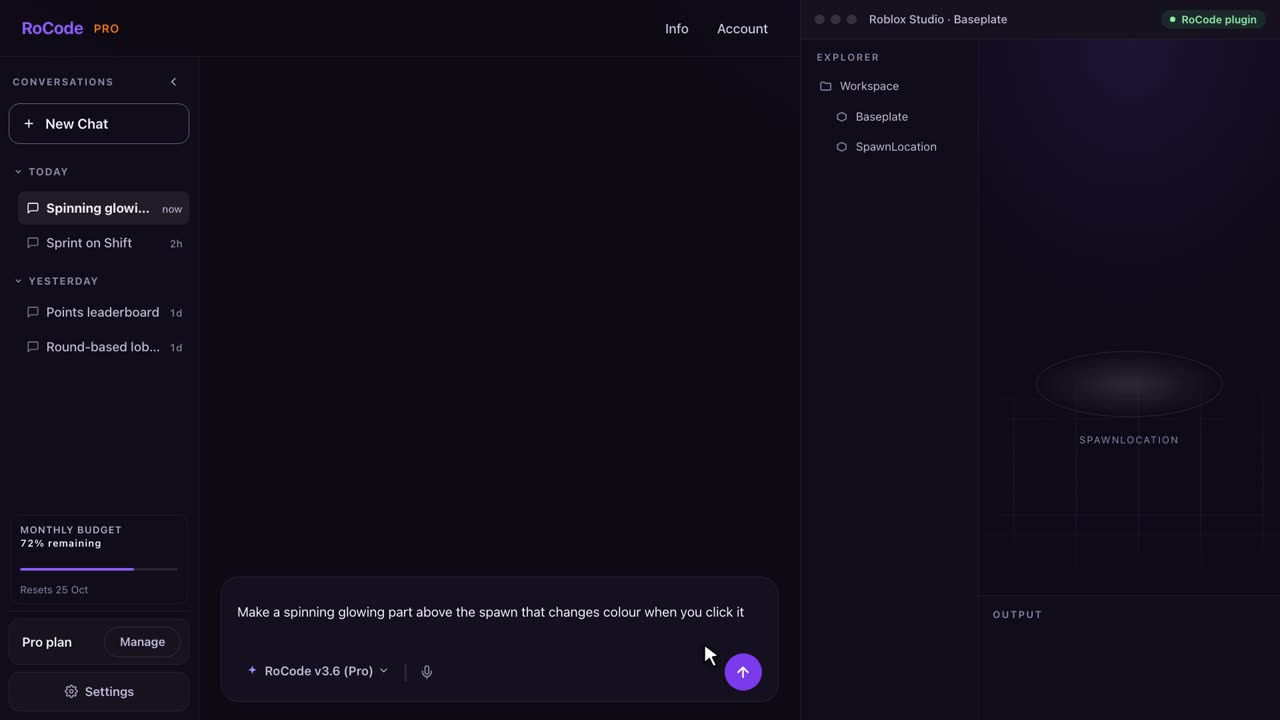
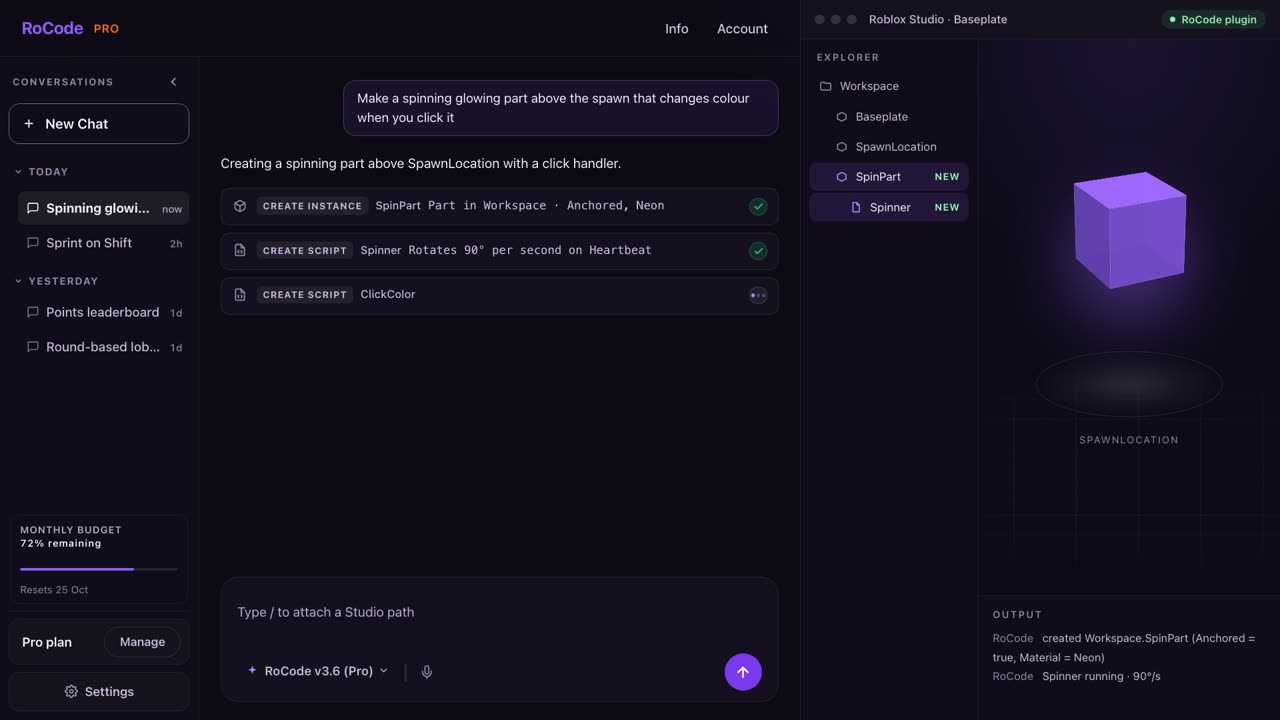
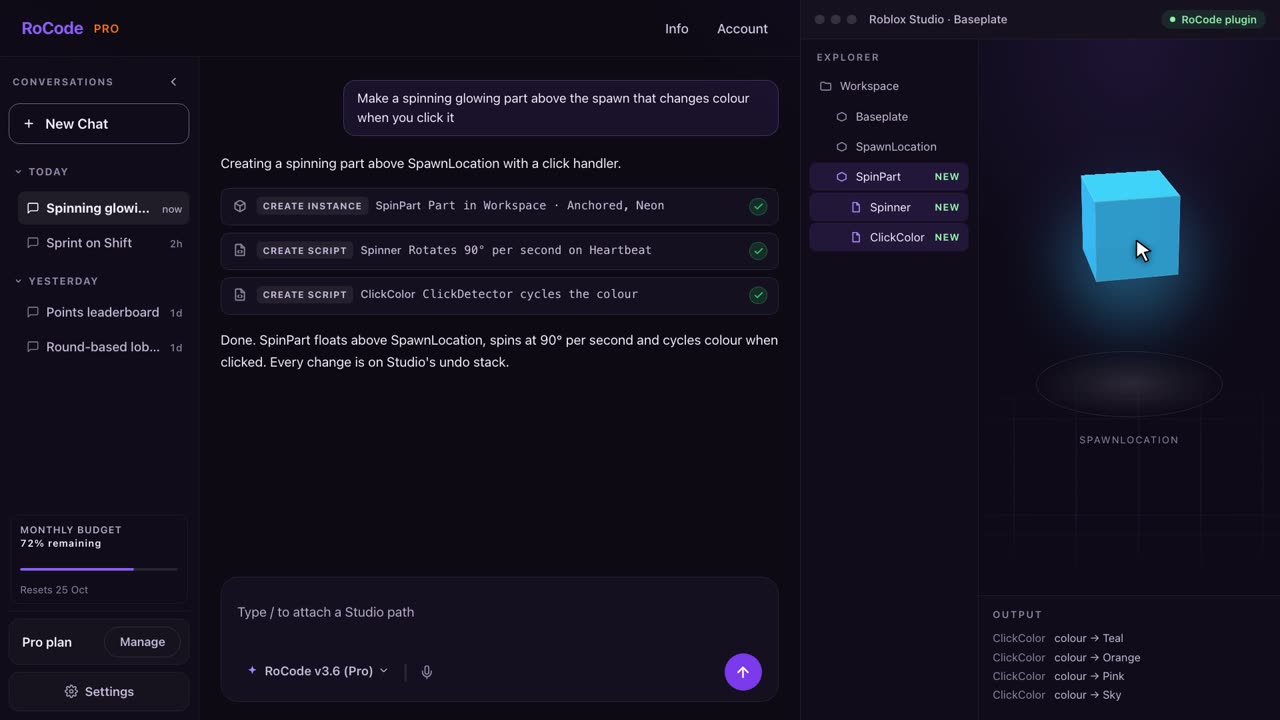
What a RoCode run looks like
Where RoAutomation is stronger
- More than code. Its agents make 3D models in Blender, effects, thumbnails and promo videos. RoCode builds with parts, scenery and free Creator Store models, and does not make meshes, thumbnails or videos.
- A wider playtest. Its guide says every build is played on PC, phones and a gamepad. RoCode's test robot plays in Studio and reports PASS or FAIL for each check.
- No credits or caps from RoAutomation itself. How much you can do depends on your Claude plan or API spend instead.
- Your files stay local. Its privacy page says your games, chats and keys stay on your computer and with the AI services you connect. RoCode's chat runs on rocode.app, so your prompts and the run go through RoCode's servers.
- Extras on Studio Pro, such as a TikTok promo maker, a game idea scorer and design docs.
Where RoCode is stronger
- The AI is included. You do not need a Claude plan or an Anthropic API key. RoAutomation's plans do not include any AI use.
- You can start free. RoCode gives 1 credit a day with no card. RoAutomation has no free plan, only a demo that does not build.
- A lower price to start. RoCode Pro is $9.99 a month. RoAutomation starts at $29 a month, before the cost of Claude.
- A refund window for everyone. Any RoCode payment can be refunded in full within 14 days. RoAutomation refunds a started period only at its discretion, outside the EU, EEA and UK.
- Lighter setup. RoCode is a plugin from the Creator Store and a browser tab. RoAutomation is a desktop app with 16 GB of RAM recommended.
Pricing
What each one costs
RoCode
$9.99a month for Pro, or 1 free credit a day
- Free Starter plan: 1 credit a day, refilled at 00:00 UTC, on GLM 5.3 Flash, no card.
- Pro $9.99 a month (150 credits), Studio $19.99 (320), Ultra $29.99 (500), in US dollars before tax. Billed yearly, each plan costs 30% less with the same credits.
- The AI is included: a credit measures what a run costs to compute. Long tasks use more.
- Credit packs from 50 credits for $4.99 up to 1,200 credits for $99.99 never expire, and you can buy them on any plan, the free one included.
- Any payment can be refunded in full within 14 days. Paddle is the seller on your receipt.
RoAutomation
$29 or $69a month, plus your Claude plan or API use
- Studio: $29 a month, or $21 a month billed yearly. The app and all 15 agents, unlimited 3D models, 10 thumbnails and 10 effects a month.
- Studio Pro: $69 a month, or $48 a month billed yearly. Unlimited thumbnails and effects, the TikTok promo maker, its full Market, idea scoring and design docs, 50% off asset packs and priority support.
- No credits and no caps from RoAutomation, but no AI use either: you need a paid Claude plan used through Claude Code, or an Anthropic API key, and you pay Anthropic for that.
- No free plan or trial. Cancel any time and keep access to the end of the paid period.
- Sold through Link, Stripe's reseller. A started period is refunded only at its discretion, except the 14 days EU, EEA and UK buyers normally have.
Which one
Which should you pick?
Pick RoAutomation if you already pay for Claude, want one app that also makes 3D models, effects, thumbnails and promos, and want your files to stay on your own computer. Budget for the plan and your Claude use together, and read its refund terms first.
Pick RoCode if you want the AI included, a free credit every day to try it on your own place, a lower monthly price and a 14-day refund on any payment. It installs from the Creator Store and runs in your browser. See plans and prices.
FAQ
Questions
Is RoCode a RoAutomation alternative?
Yes. Both build Roblox games from what you describe. RoAutomation is a desktop app that runs its agents through Claude Code on your own Claude plan or Anthropic API key. RoCode is a free Studio plugin from the Creator Store with a web chat, and the AI is included in its credits, starting with 1 free credit a day.
How much does RoAutomation cost compared with RoCode?
On 24 November 2026 RoAutomation's Studio plan was $29 a month ($21 a month billed yearly) and Studio Pro $69 a month ($48 billed yearly). Neither includes AI usage: you also need a paid Claude plan or an Anthropic API key. RoCode's Starter plan is free with 1 credit a day, Pro is $9.99 a month, Studio $19.99 and Ultra $29.99, with the AI included, and any payment can be refunded in full within 14 days.
Is RoAutomation free?
No. Its plans page lists no free plan or trial of the app. Its home page offers a browser demo that needs no account or card, and it says the demo is look only and does not build games. RoCode has a free plan with 1 credit a day and no card.
Is RoAutomation safe?
We did not install it, so we can only report what its own pages say. Its privacy page says your games, chats and keys stay on your computer and with the AI services you connect, and that it does not collect them. It works with Roblox through Open Cloud with a key you create, not by signing in to your Roblox account. It is made by Holliday Labs LLC in Texas and says it is not affiliated with Roblox or Anthropic. As with any tool, create Open Cloud keys with only the permissions it needs.
Sources
- roautomation.dev (opens in a new tab) home page, read 24 November 2026, for what it builds, its requirements and the demo.
- roautomation.dev/plans (opens in a new tab), read 24 November 2026, for the plans and prices.
- roautomation.dev/terms (opens in a new tab) and roautomation.dev/privacy (opens in a new tab), last updated 13 November 2026, for AI use, refunds, the company and data handling.
- RoAutomation vs Ropilot (opens in a new tab), updated 19 November 2026, for the 15 agents, Open Cloud and playtesting.
RoCode facts come from RoCode's pricing page, docs and RoCode facts, checked 24 November 2026. RoCode wrote this page, so we are a competitor. See the full Roblox AI tools comparison.
Try RoCode on your own place.
Free every day, no card required. Install the plugin, describe the feature, and see what lands in Studio.
No card required. Get the Studio plugin (opens in a new tab)