25 screens, 5 themes
Roblox UI templates
Main menus, shops, egg hatching, battle passes, a shooter HUD and more: 25 ready-made game screens with the scripts that make them work. Tell RoCode which ones you want, and its AI adds them to the Roblox Studio place you have open.
Free to start, no card. RoCode is an independent AI agent for Roblox Studio, not made by Roblox.
Where to get Roblox UI templates that work
Most free Roblox UI templates are only the look: frames and buttons with no scripts, so nothing happens when a player clicks. The screens on this page come wired up. Each one is a ScreenGui plus, for most screens, a server script that does the real work, such as charging coins, saving a streak or running a round.
You do not download them. RoCode's AI inserts them into your place through its Studio plugin, every screen in one theme, and their open buttons join the HUD menu by themselves. Then you ask for your own names, items and prices.
The screens
25 Roblox UI templates, by what your game needs
Sixteen screens are shown as Studio screenshots in one of the five themes. The others are drawn illustrations of their layout, in the theme colours; in your game they have the same look as the screenshots.
Menus every game needs
The first and last things players see: the title screen, loading, the HUD, settings and messages.
-
 Studio screenshot · Candy
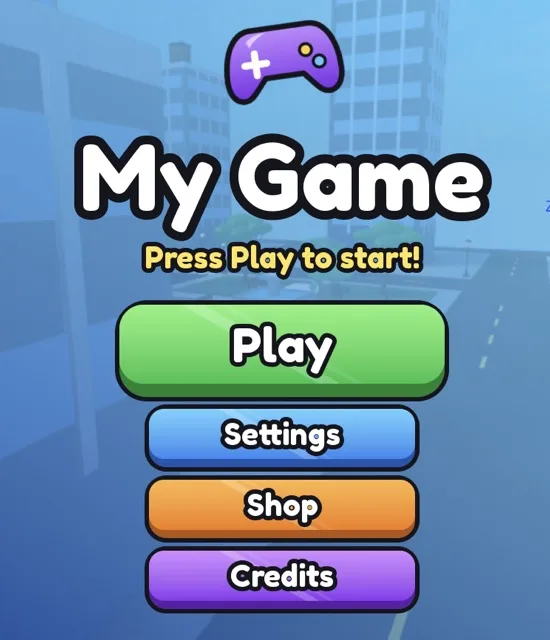
Main menu
A title screen on join with your game's name and big Play, Settings, Shop and Credits buttons. Play fades it out, and a part named MenuCamera sets the view behind it.
StarterGui.SimMainMenu
To change: TITLE, SUBTITLE and CREDITS at the top of MainMenuController.
-
 Studio screenshot · Candy
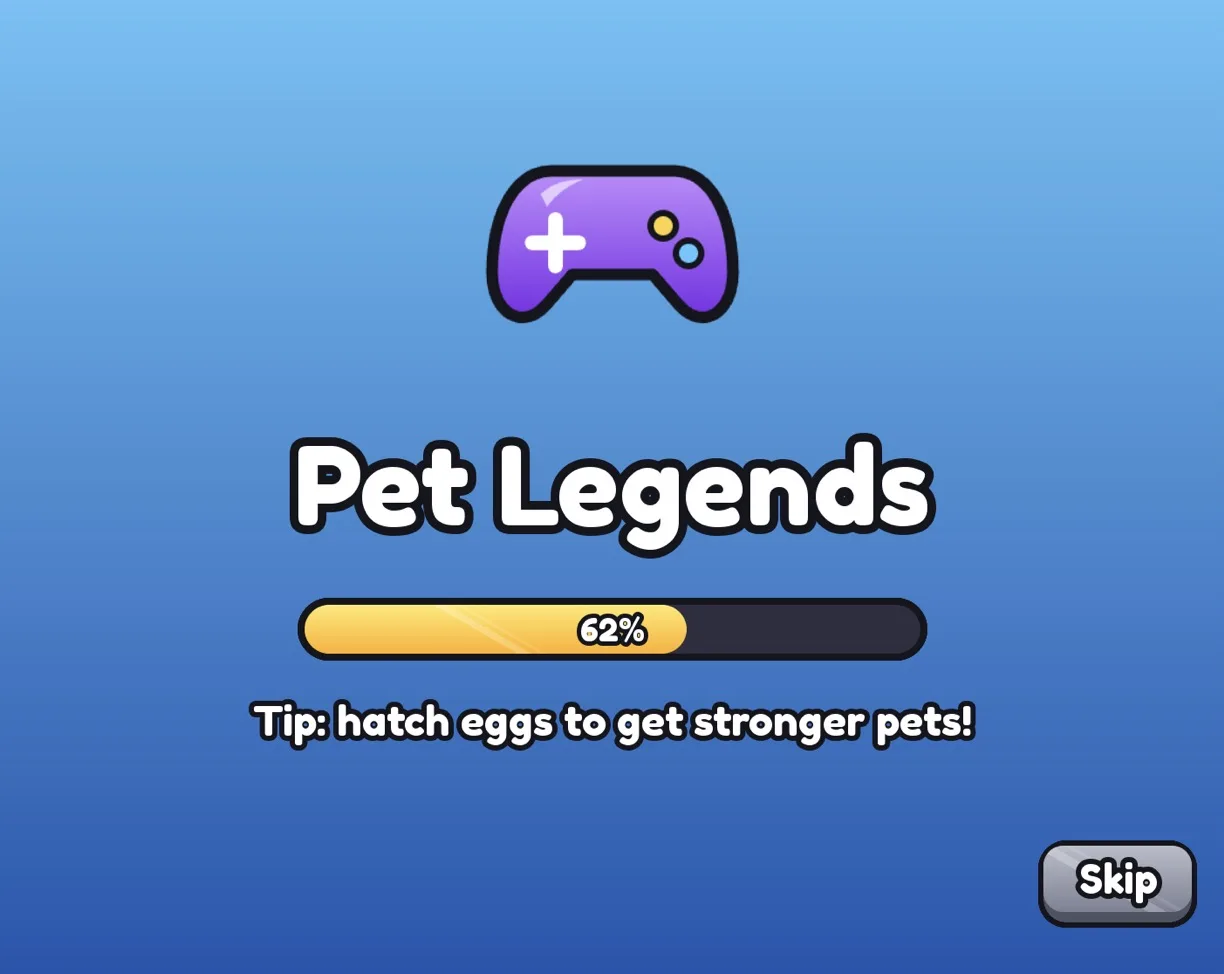
Loading screen
Shows while the game loads, with the game name from Roblox, a progress bar that follows real loading, tips and a Skip button.
ReplicatedFirst.SimLoading
To change: the TIPS list in the script.
-
 Studio screenshot · Candy
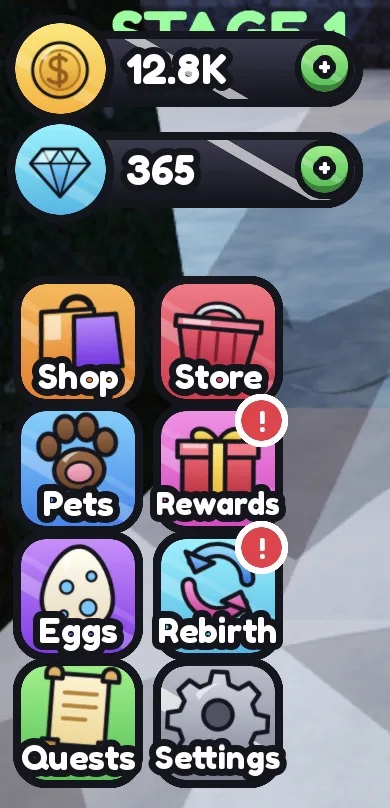
HUD
Coins and Gems counters that follow your leaderstats, with + buttons, and a side menu of big tiles. Every other screen's open button joins this menu by itself.
StarterGui.SimHudServerScriptService.SimCurrencyServer
To change: the currency names in CURRENCIES (HudController).
-
 Studio screenshot · Pastel
Settings
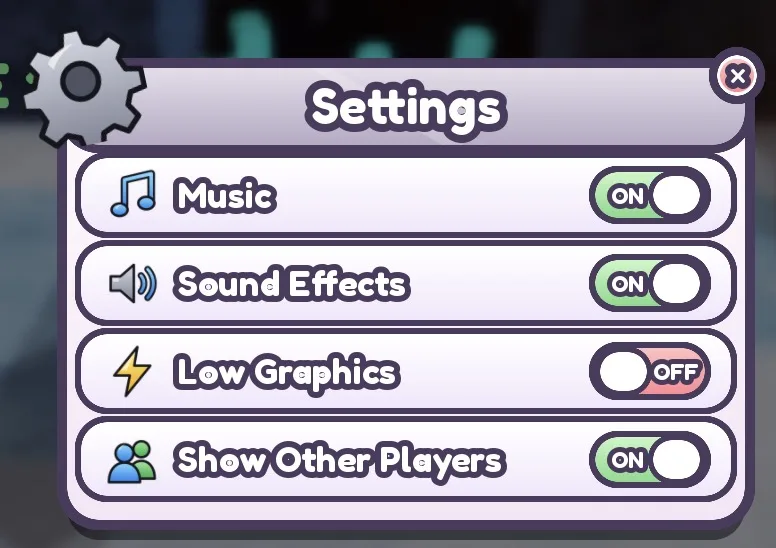
Switches that work and save for each player: music, sound effects, low graphics and show other players.
StarterGui.SimSettingsServerScriptService.SimSettingsServer
To change: music mutes Sounds tagged or named Music.
-
Illustration, not a screenshot
Notifications
A stack of toasts on the right for small news, and a big announcement popup, sent from server or client scripts.
StarterGui.SimNotificationsServerScriptService.SimNotifyServer
To change: call ReplicatedStorage.SimNotify from your server scripts.
-
Illustration, not a screenshot
Yes/no box and pause menu
A confirm box any script can ask a yes or no question with, and a pause menu on P with Resume, Settings and Leave.
StarterGui.SimConfirm
To change: Ask:Invoke(title, message, yesText, noText) returns true or false.
Shops, codes and rewards
Where players spend coins and Robux, and the reasons they come back tomorrow.
-
 Studio screenshot · Gold
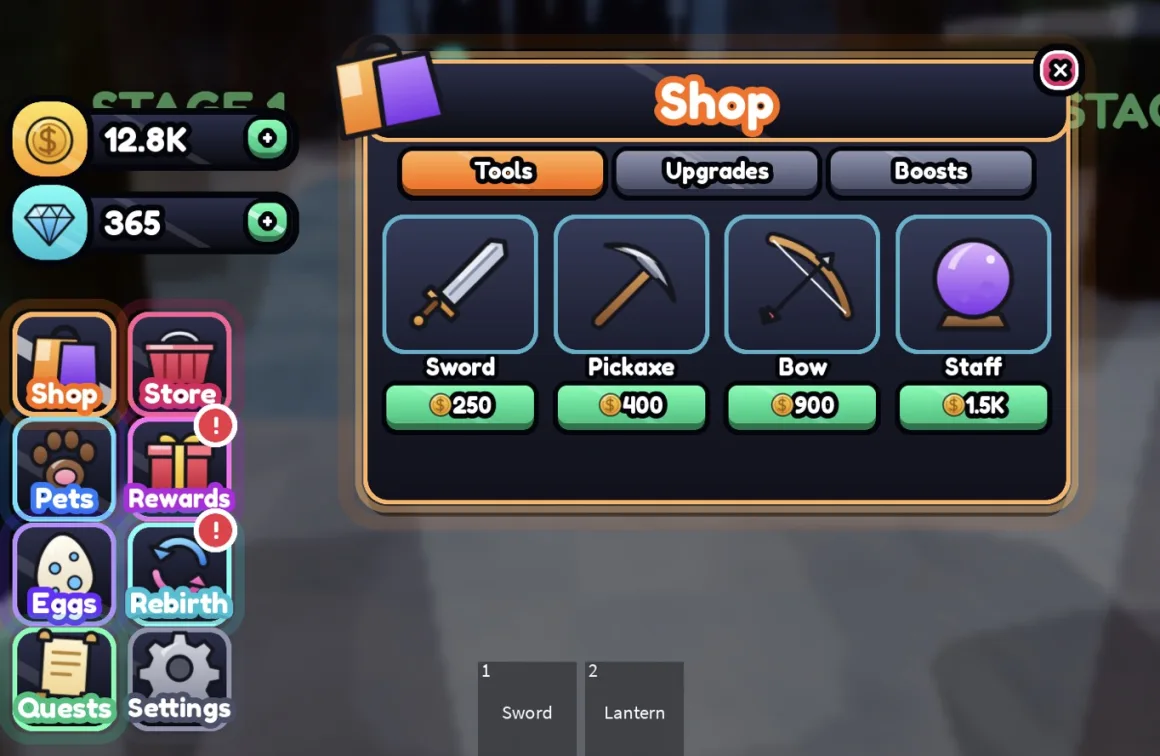
Item shop
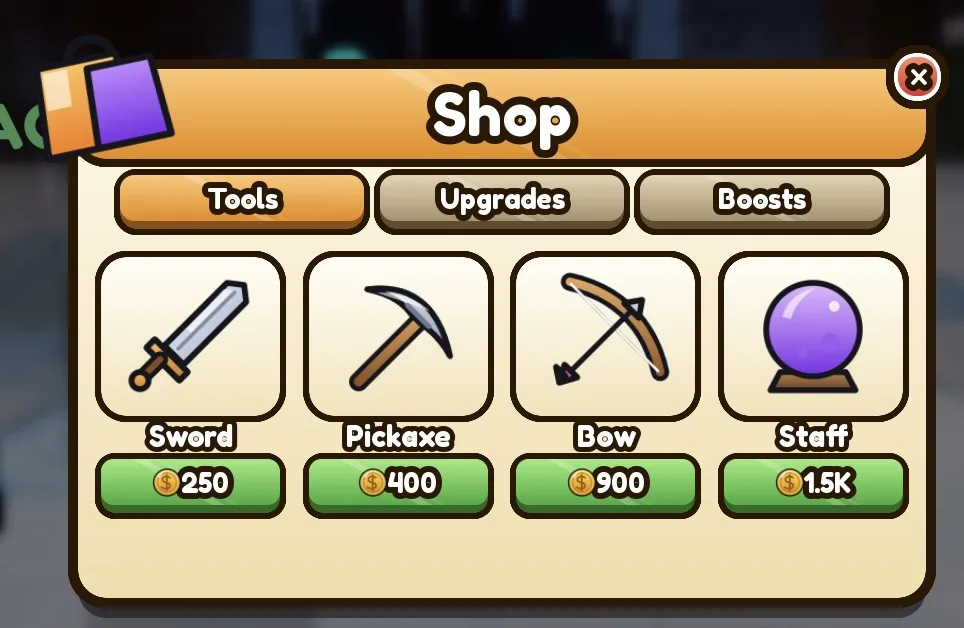
Tabs for Tools, Upgrades and Boosts, with item cards that show Buy, Owned or Equip. Its server script checks the price, takes the coins, saves what each player owns and gives real Tools, speed upgrades and timed boosts.
StarterGui.SimShopServerScriptService.SimShopServer
To change: the items (name, icon, price, currency, tab, what it gives) in ITEMS.
-
 Studio screenshot · Pastel
Store: game passes and codes
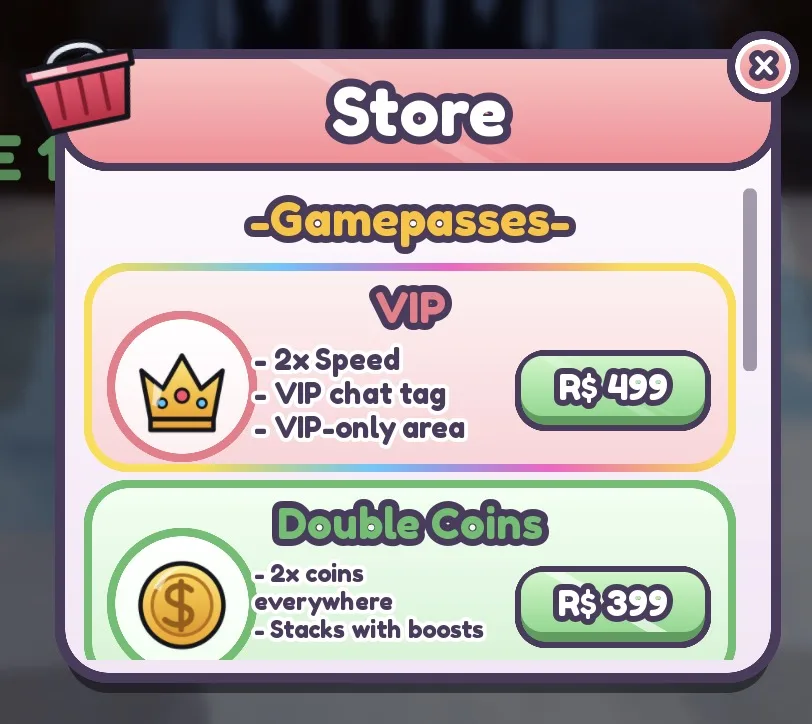
Game pass rows, each with an icon, its perks and a Robux price button that opens the purchase prompt, then a codes box that redeems codes on the server.
StarterGui.SimStoreServerScriptService.SimCodesServer
To change: pass ids and prices in PASSES, codes in CODES.
-
Illustration, not a screenshot
Robux shop
Game pass and developer product cards from one config table, with real Robux prices and Buy prompts. Owned passes are marked, and products pay their reward on the server.
StarterGui.SimGamepassesReplicatedStorage.SimPassesConfigServerScriptService.SimPassesServer
To change: real ids go in SimPassesConfig. An owned pass sets a player attribute like Pass_VIP.
-
 Studio screenshot · Candy
Codes
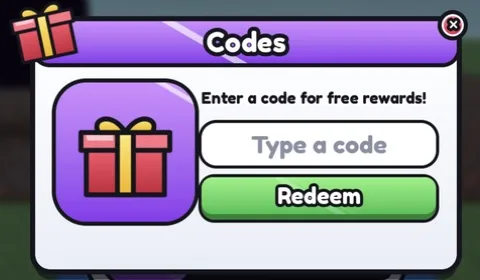
A redeem codes window with confetti when a code works and a shake when it does not. Codes and rewards are checked and saved on the server.
StarterGui.SimCodesServerScriptService.SimCodesServer
To change: codes and their rewards in CODES.
-
 Studio screenshot · Blocky
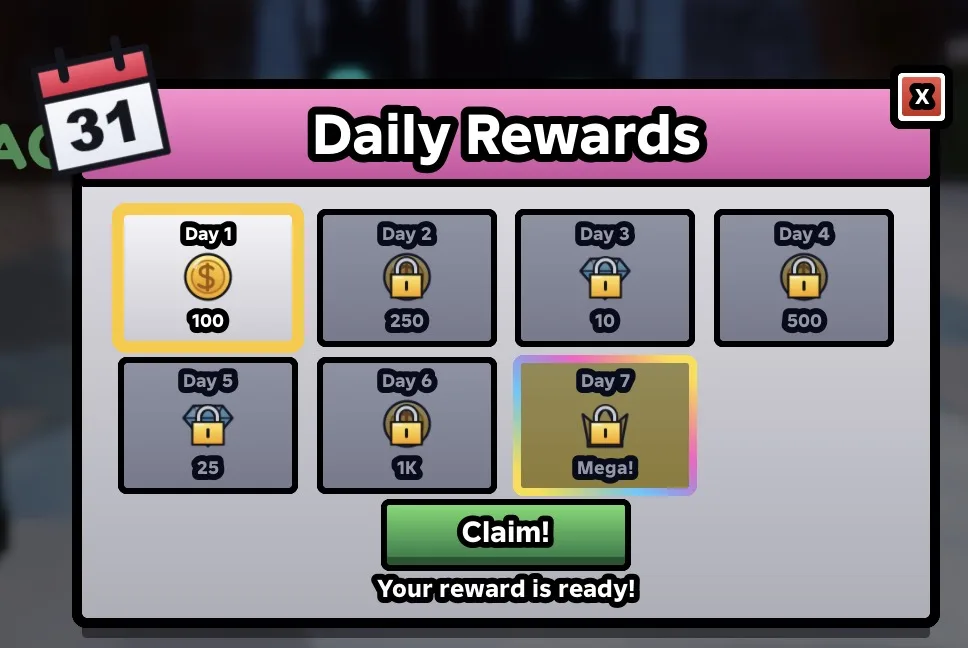
Daily rewards
A 7-day streak of rewards with a Claim button and a countdown to the next one. The server pays out and saves the streak, and the window opens by itself when a reward is ready.
StarterGui.SimDailyRewardsServerScriptService.SimDailyRewardsServer
To change: the 7 rewards in REWARDS.
-
Illustration, not a screenshot
Season pass
A battle pass track with free and premium rewards on each tier, Claim buttons, an XP bar and a premium game pass. XP comes from play time and from your scripts.
StarterGui.SimBattlePassServerScriptService.SimBattlePassServer
To change: TIERS, XP_PER_TIER and PREMIUM_PASS_ID at the top.
-
 Studio screenshot · Neon
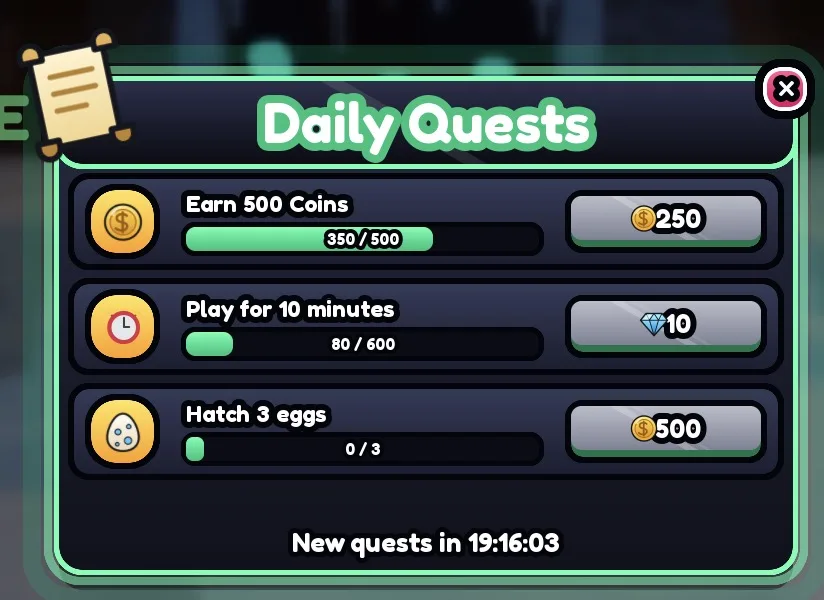
Daily quests
Three daily quests with progress bars and Claim buttons, such as earning coins, minutes played or eggs hatched. They reset every day and save.
StarterGui.SimQuestsServerScriptService.SimQuestsServer
To change: QUESTS in SimQuestsServer; your scripts can add progress with an event.
Pets, collections and progress
The simulator screens: hatching, the inventory, collecting, rebirths, trading and the leaderboard.
-
 Studio screenshot · Candy
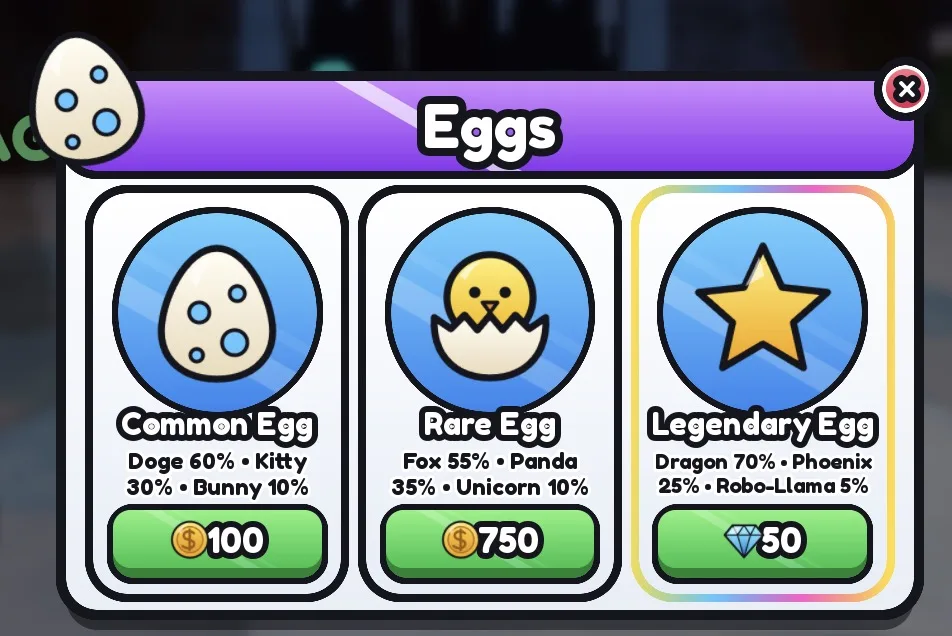
Egg hatching
Eggs with prices and pet odds, a full-screen hatch animation that shakes, flashes and reveals the pet in its rarity colour, and a server script that rolls and saves pets.
StarterGui.SimEggsServerScriptService.SimEggServer
To change: eggs, prices and pet odds in EGGS.
-
 Studio screenshot · Neon
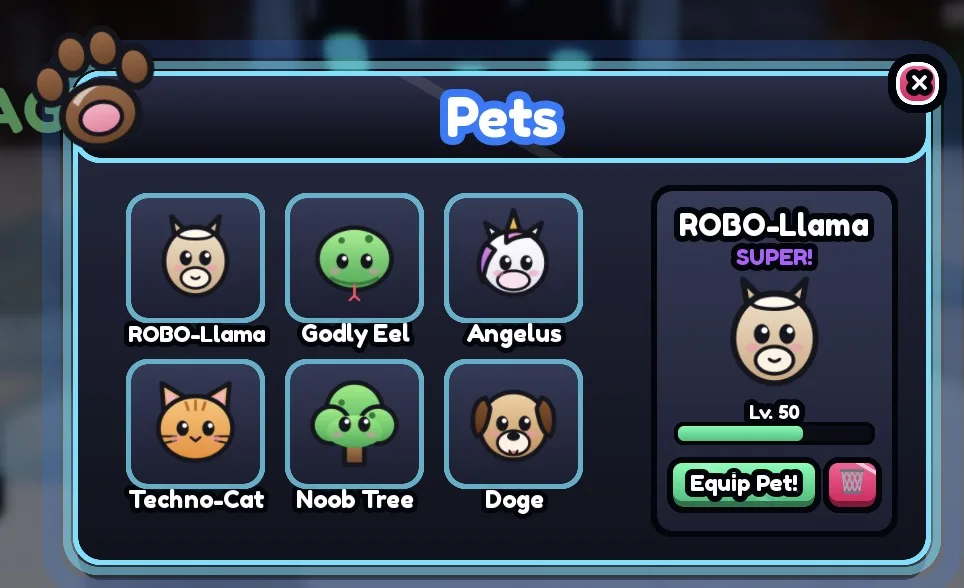
Pet inventory
A grid of pet or item cards, and the selected card with its rarity, a level bar, Equip and delete. It lists the pets the egg screen saves.
StarterGui.SimInventory
To change: listen to its Equipped and Deleted events to save choices on the server.
-
Illustration, not a screenshot
Collection index
A collection book: a grid of items in rarity colours, silhouettes for the ones not found yet, a completion percentage, tabs per group and a reward for finishing.
StarterGui.SimIndexServerScriptService.SimIndexServer
To change: ITEMS (name, icon, rarity, group) at the top, to match your game's pets or items.
-
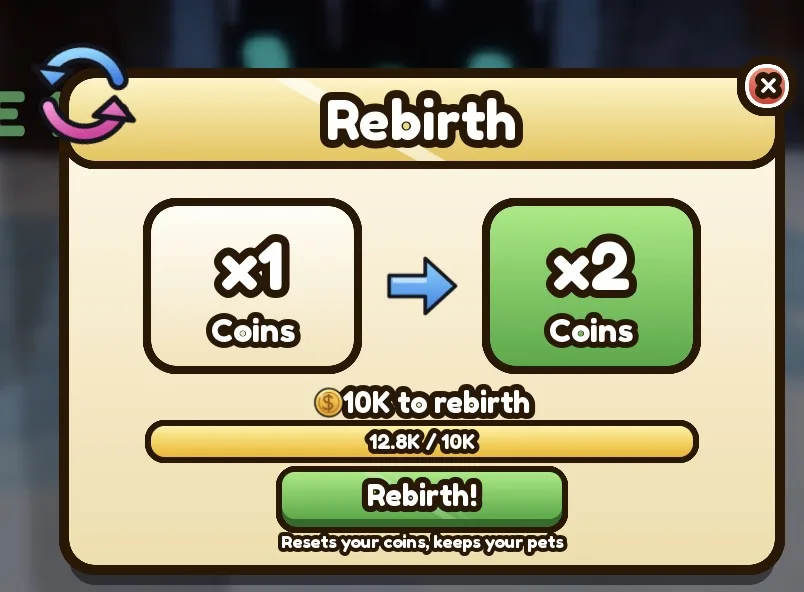 Studio screenshot · Gold
Rebirth
Shows the current and next coin multiplier, the cost and a progress bar. A rebirth resets coins, adds a Rebirth and raises the multiplier.
StarterGui.SimRebirthServerScriptService.SimRebirthServer
To change: BASE_COST sets the price; multiply your coin rewards by the CoinMultiplier attribute.
-
Illustration, not a screenshot
Trading
A two-sided trade window: a player list, trade requests, an item grid for each side, Ready, Confirm and a countdown. The server swaps pets from the egg screen, or Tools.
StarterGui.SimTradeServerScriptService.SimTradeServer
To change: testing a trade needs 2 players in Studio.
-
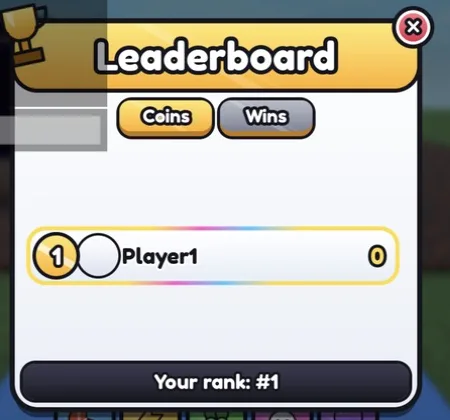 Studio screenshot · Candy
Leaderboard
A global leaderboard window with a tab per stat, medals for the top three, player headshots, names and values, and your own rank. Saved in OrderedDataStores.
StarterGui.SimLeaderboardServerScriptService.SimLeaderboardServer
To change: BOARDS lists the leaderstats that get a tab (global top 50).
Combat and rounds
HUD pieces for fighting, shooter and round-based games.
-
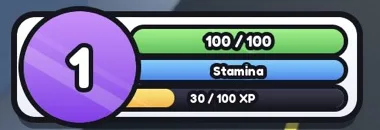 Studio screenshot · Candy
Player bars
A health bar that follows the Humanoid, a stamina or mana bar (with Shift to sprint) and an XP bar with a level badge and a LEVEL UP pop. The server saves XP and levels.
StarterGui.SimBarsServerScriptService.SimLevelsServer
To change: give XP with SimLevelsServer.AddXP; SECOND_BAR renames stamina, for example to Mana.
-
Illustration, not a screenshot
Ability bar
Five ability slots at the bottom with key labels (Q, E, R, F, G), a cooldown sweep and tap buttons on phones. Dash, Speed, Heal, Super Jump and Shield are built in, with cooldowns checked on the server.
StarterGui.SimAbilitiesReplicatedStorage.SimAbilitiesConfigServerScriptService.SimAbilitiesServer
To change: add abilities to the config and their effect to EFFECTS.
-
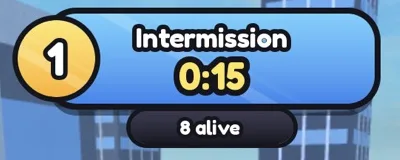 Studio screenshot · Candy
Round banner
A banner at the top with intermission or round text, a timer, players left and a winner popup, with a working round loop: spawns, last one standing wins, rewards.
StarterGui.SimRoundServerScriptService.SimRoundServer
To change: INTERMISSION, ROUND_TIME, MIN_PLAYERS and WIN_REWARD at the top.
-
Illustration, not a screenshot
Shooter HUD
A crosshair with kick and a hit marker, an ammo and reload panel that follows the gun you hold, and a kill feed of every player death.
StarterGui.SimShooterHudServerScriptService.SimKillFeedServer
To change: your gun script sets the Tool attributes Ammo, MaxAmmo, Reserve and Reloading.
Worlds and NPCs
Moving between areas and talking to characters.
-
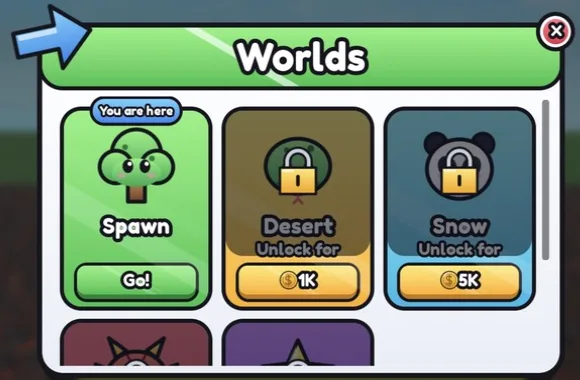 Studio screenshot · Candy
World teleport
A worlds or areas menu with locked and unlocked cards and prices. Unlocks are saved, and players teleport to parts in Workspace.Worlds or to other places.
StarterGui.SimTeleportServerScriptService.SimTeleportServer
To change: WORLDS (name, icon, price, currency) at the top.
-
Illustration, not a screenshot
NPC dialogue
A dialogue box with the NPC's name, a portrait, typewriter text and 2 to 4 choices. Any model with a Dialogue attribute gets a Talk prompt.
StarterGui.SimDialogue
To change: conversations live in DIALOGUES in DialogueController.
The themes
Five themes, one per game
Every screen comes in all five themes. All the screens in one game share a theme, so they look like one set.
Candy
- Bright and cartoony, white windows
- Thick black outlines and a glossy shine
- Suits simulators and obbies
Neon
- Dark windows with glowing edges
- For sci-fi, night and shooter games
- Ask for “neon” or “dark”
Gold, blocky, pastel
- Gold: cream and gold, for VIP and luxury
- Blocky: classic Roblox, square corners
- Pastel: soft colours for cute and cozy games
Name a theme when you ask, such as “add a pastel shop”, or leave it out and RoCode picks one for your game.
Compare the themes on the UI kits pageHow it works
From this page to your game
RoCode is an AI agent for Roblox Studio: a web chat and a free Studio plugin that builds in the place you have open.
Sign up and connect Studio
Make a free account, add the RoCode plugin in Studio and connect it. Studio on Windows or Mac, the chat in a desktop browser.
Ask for the screens
Write what you want, such as “add a main menu, a shop and a battle pass”. RoCode inserts each screen and its scripts in one step.
Make them yours
Ask for your own items, prices, rewards and quests, or edit the list at the top of each script yourself. Then press Play.
FAQ
Questions
Are these Roblox UI templates free?
You can look at every screen here for free, with no login. To add one to your game you use RoCode: its Starter plan is free with no card and gives 1 credit a day, 2 on the day you sign up. Adding screens is part of a RoCode build, so it uses some of those credits.
Can I download them as an .rbxm file?
No. There is no file to import: RoCode puts each screen straight into the place you have open in Roblox Studio, as a ScreenGui in StarterGui and, for most screens, a server Script in ServerScriptService. After that they are ordinary objects in your place that you can edit or delete.
Do the buttons actually work?
Yes. Each screen comes with the scripts it needs: the item shop charges coins and saves what players own, daily rewards pay out and keep the streak, the leaderboard reads OrderedDataStores and the round banner runs a real round loop. Names, items and prices sit in a list at the top of each script.
Which themes are there?
Five: candy, neon, gold, blocky and pastel. Every screen comes in all five, and all the screens in one game share a theme. Name one when you ask, or RoCode picks one for your game.
What do I need to add them?
Roblox Studio on Windows or Mac, the free RoCode Studio plugin (version 3.9.14 or newer) and a RoCode account in a desktop browser. The chat does not run on phones.
Are these the same as the free UI kits page?
The UI kits page shows the first ten screens in all five themes, with a theme switcher. This page lists every screen RoCode can add, grouped by what your game needs.
Build it by hand
Guides for the same screens
Prefer to make the UI yourself? These free guides build the same kinds of screens step by step, with type-checked Luau.
Menus
Shops and rewards
HUD and games
Give your game a UI that looks finished.
Sign up free, connect the RoCode plugin in Roblox Studio and ask for the screens you want. It builds in the place you have open.
Needs Roblox Studio and a desktop browser. RoCode is independent, not made by Roblox.