Compared
RoCode vs Forge
Both work inside your own Roblox Studio place rather than handing you code to paste. They differ on platform, playtesting, how you sign in, and whether you pay per credit or per month.
Checked against Forge’s own site and announcements on 27 September 2026. If something has changed, email support@rocode.app and we will correct it.
How RoCode connects
Nothing to install on the PC beyond the plugin. The chat pairs with Studio on the same network.
How Forge connects
A small Windows app bridges Studio through Roblox’s own MCP server.
| Feature | RoCode | Forge |
|---|---|---|
| What you install | A free plugin from the Roblox Creator Store. The chat runs in your browser. | A small Windows app called the Bridge that connects Studio through Roblox’s built-in MCP server. |
| Runs on | Windows and macOS. | Windows only. Their site says macOS is coming later. |
| Sign-in | Email or Google sign-in at rocode.app. | Sign in with Roblox’s official login. |
| Works on the place you already have open | Yes. Reads your Explorer and scripts, then creates and edits in place. | Yes. Inspects your place and scripts first, then edits inside your Studio. |
| Builds parts, UI and structures, not only scripts | Yes. 24 Studio tools, 12 building blueprints, UI templates. | Yes. Map, terrain, UI, data saving, economy, shop, game passes. |
| Playtests and screenshots | No. Syntax check in Studio, reads the Output window, reads back what it changed. | Yes. Starts a playtest, reads the console, fixes errors, captures a screenshot. |
| Every change on Studio’s undo stack | Yes. Ctrl+Z removes any RoCode change. | Not stated on their site. |
| Models | Three RoCode models included. Claude or GPT through your own OpenRouter key. | Sonnet 5, Opus 5 and Fable 5.1, with a price multiplier shown before you send. |
| Free tier | 250,000 tokens every day, no card. | Free trial credits when you first pair the Bridge, no card. |
| How you pay | Monthly or annual plan, plus optional usage packs. | Prepaid credits only, 1 credit = 1¢, no subscription. |
In practice
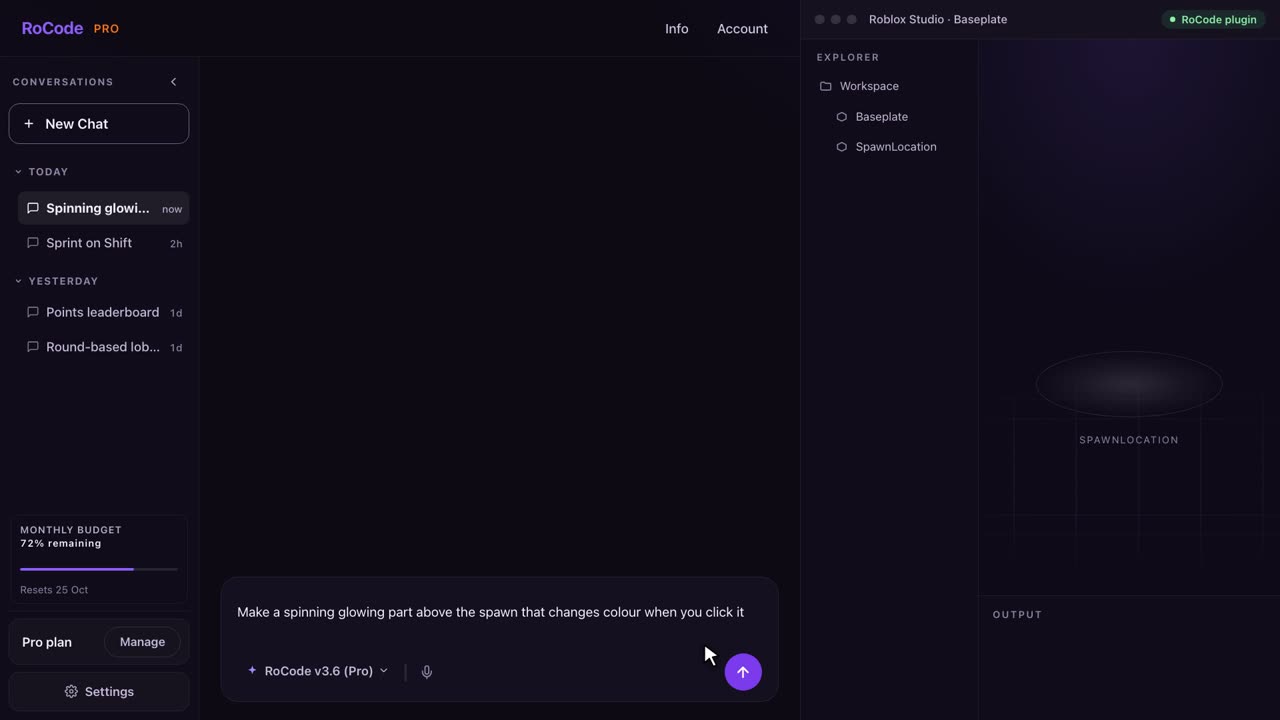
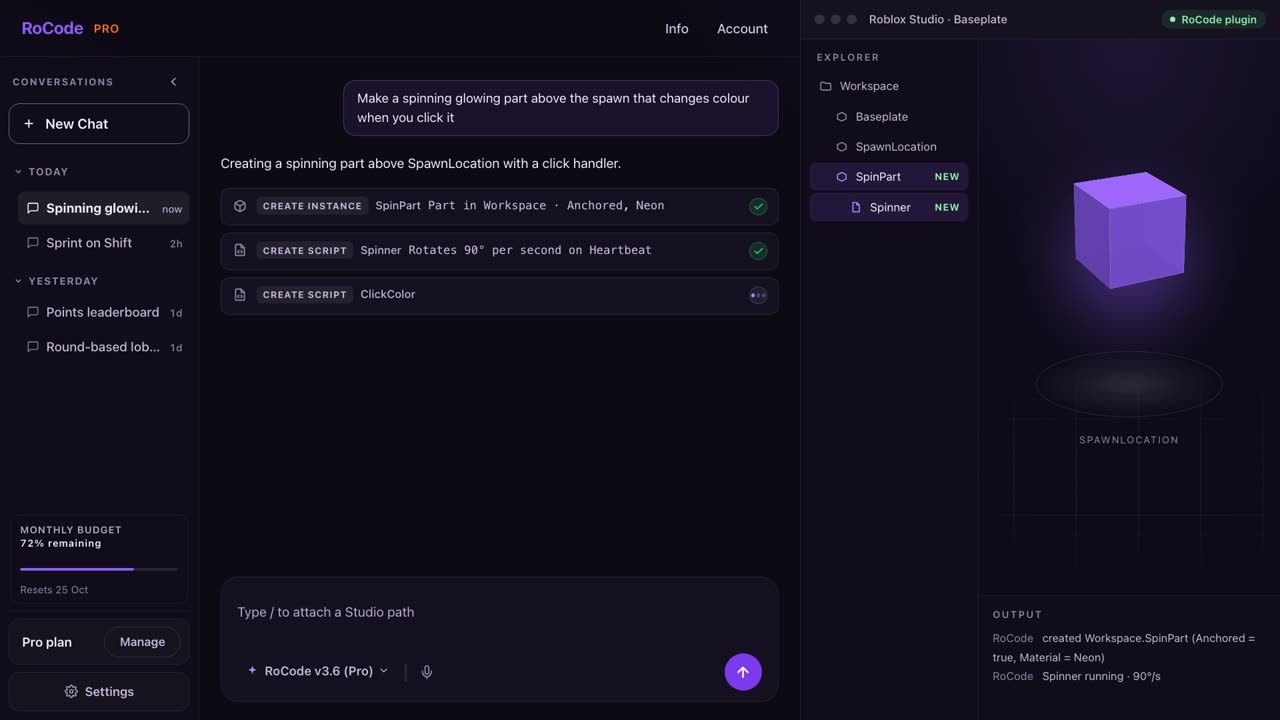
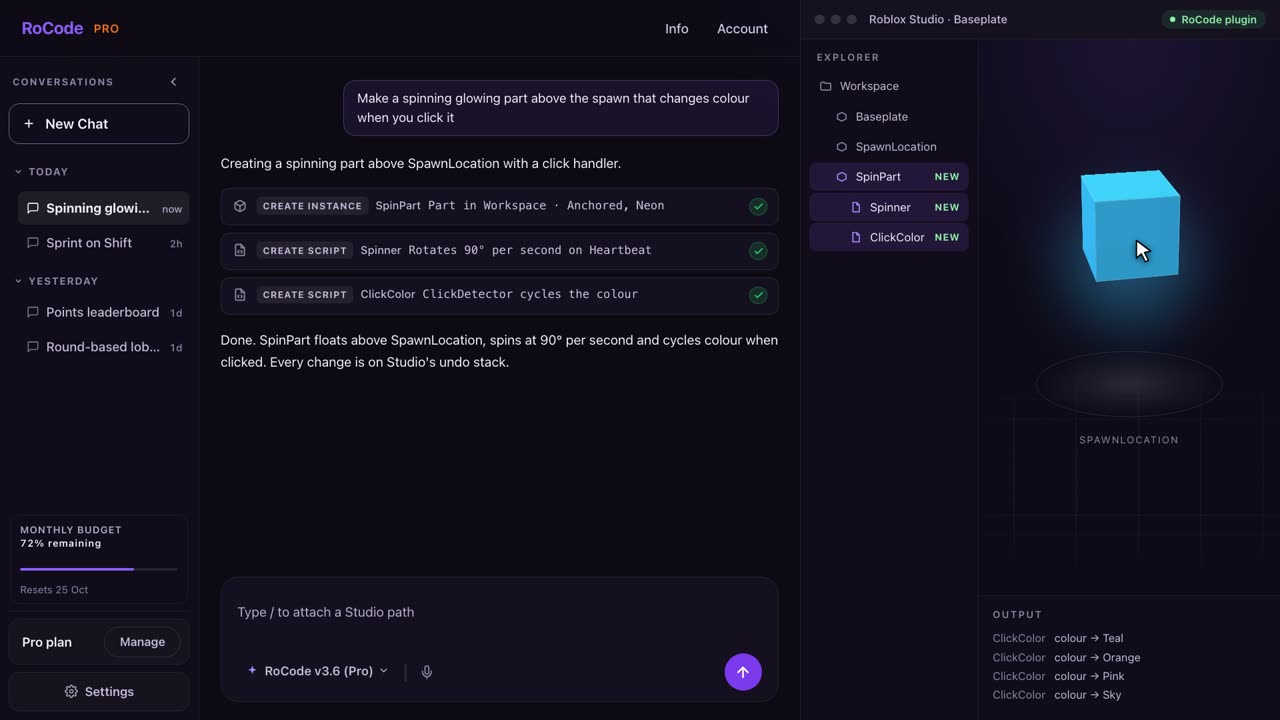
What a RoCode run looks like
Where Forge is stronger
- It playtests and shows you a screenshot before it says done. Forge starts the game, reads the console, fixes errors and captures the viewport. RoCode stops at syntax checks and the Output window.
- It signs you in with Roblox’s official login, which some people prefer to a separate account.
- You see the model’s price multiplier before every message, and there is no subscription at all if you prefer prepaid.
Where RoCode is stronger
- It works on a Mac. Forge is Windows only for now.
- Nothing to install on the PC beyond the Studio plugin, and the chat is a web page.
- A daily free allowance rather than a one-time trial: 250,000 tokens every day.
- A flat monthly price if you build a lot. Pro is $9.99 for 60 million tokens a month; Forge’s own guide puts a build step at 20 to 150 credits, which is 20¢ to $1.50 each on Sonnet 5.
- Undo is Studio’s own. Every RoCode change sits on the normal undo stack.
Pricing
What each one costs
RoCode
$9.99a month for Pro, or free every day
- Free plan: 250,000 tokens a day, no card.
- Pro $9.99 a month (60M tokens), Studio $19.99 (120M), Ultra $29.99 (180M). Annual plans are 30% off.
- Usage packs from 10M to 1B tokens for paid plans, and they never expire.
- Claude and GPT models through your own OpenRouter key, billed by OpenRouter, not by RoCode.
Forge
1¢per credit, packs from $10, no subscription
- Free trial credits when you pair the Bridge, no card.
- Prepaid packs: $10 for 1,000 credits, $25 for 2,750, $60 for 7,200, $150 for 19,500. One credit is one cent.
- Their guide: a typical build step on Sonnet 5 costs 20 to 150 credits. Stronger models cost more per step.
- No subscription. Credits are non-refundable except where the law requires.
Which one
Which should you pick?
Pick Forge if you are on Windows, you want the agent to playtest and show you a screenshot before it reports done, and you prefer to prepay by the credit with the price visible on every message.
Pick RoCode if you are on a Mac, you want nothing on the PC but the Creator Store plugin, you build often enough that a flat monthly plan beats per-step credits, or you want a free allowance you can use every day. Both edit your real place, so on that core promise they are equals.
FAQ
Questions
Does RoCode work on macOS?
Yes. RoCode runs in any browser and its plugin works in Roblox Studio on Windows and macOS. Forge requires a Windows PC today, according to its own site.
Does RoCode take screenshots or playtest?
No. RoCode syntax-checks every script inside Studio, reads the Output window and reads back the objects it changed. Forge runs a playtest and captures a screenshot as part of every build.
Is a subscription or credits cheaper?
It depends on how much you build. If you run a few builds a month, Forge’s $10 pack may last you. If you build most days, RoCode Pro at $9.99 a month covers 60 million tokens, and the free plan already gives 250,000 tokens every day.
Sources
- forgeblox.app home page including its pricing and comparison sections, read 27 September 2026.
RoCode facts come from RoCode’s own plugin and relay code as of the same date. See the full Roblox AI tools comparison.
Try RoCode on your own place.
Free every day, no card required. Install the plugin, describe the feature, and see what lands in Studio.
No card required. Get the Studio plugin (opens in a new tab)