Compared
RoCode vs ZeroScript
The short answer
ZeroScript is a free, open-source (GPL-3.0) browser extension from ZeroDev. It drives Roblox Studio's built-in MCP server from a free AI chat you already use, such as DeepSeek, through a Bridge you run on your PC, so there is no ZeroScript account or price. RoCode is a web chat plus a free Studio plugin with the AI included: 1 free credit a day, Pro is $9.99 a month, and any payment can be refunded in full within 14 days.
Checked 29 October 2026 against zerodev.tools/zeroscript and its GitHub repository (release 1.5.5).
ZeroScript here means the free AI agent for Roblox Studio at zerodev.tools/zeroscript, whose code is on GitHub as sebattfg/ZeroScript-Free. Both tools build in the place you have open. The main difference is who runs the AI: with ZeroScript you bring a free AI chat in your browser, and RoCode runs the models for you.
Checked on 29 October 2026 against the ZeroScript page on zerodev.tools, its GitHub README and its latest release (1.5.5, 10 September 2026). We did not install it, so anything those pages don't say is marked as not stated. Copycat sites use the ZeroScript name; its README says the only official links are the ones it lists. If something has changed, tell us in the RoCode Discord (opens in a new tab).
| Feature | RoCode | ZeroScript |
|---|---|---|
| What you install and where it runs | A free plugin from the Roblox Creator Store, in Roblox Studio on Windows or Mac. The chat runs at rocode.app in a desktop browser. Studio connects by itself when it is signed in to the same Roblox account (plugin 3.9.13 or newer), otherwise with a one-time 8-character code. | A browser extension you load unpacked in Chrome or Edge (Developer mode), a Bridge you start on your PC (start.bat on Windows), and Roblox Studio's built-in MCP server, which you turn on once. The Bridge needs Python 3.9 or newer; its README says Windows installs it for you. |
| Platforms | Roblox Studio on Windows or Mac, with a desktop browser for the chat. Phones are not supported. | Its site lists a Windows PC with Chrome or Edge. Its README also gives macOS steps. |
| Account | A RoCode account: email code, Google, Discord or Roblox, with no RoCode password. | No ZeroScript account. You sign in to the AI chat you use; its site lists a free DeepSeek account as a requirement. |
| The AI | Included and named by plan: DeepSeek V4 Flash on every plan, GLM 5.3 Flash and Claude Sonnet 5.5 from Pro, Claude Opus 5.5 from Studio, GPT-6 Astra on Ultra. Any paid plan can also run your own OpenRouter key. | The AI web chat you bring: DeepSeek (recommended), ChatGPT, Gemini, Kimi, GLM, Qwen, Arena or Meta AI. Its README says Gemini and Kimi can be unstable. |
| What it does in Studio | Creates and edits scripts, parts and UI with 27 Studio tools, and compile-checks the scripts it writes. Ready-made UI kits (25 screens in 5 themes) and themed world islands in one step. Places Creator Store models it finds with your words, with any scripts inside removed. | Reads and edits scripts, runs Luau directly in Studio, reads the game tree, generates meshes, materials and models, inserts from the Creator Store and keeps project memory saved in your place, per its README. |
| Playtests its own work | Yes, within limits. After a build its test robot can play the game in Studio: it walks, touches parts, clicks buttons, presses keys and equips tools, then reports each check as PASS or FAIL (plugin 3.9.11 or newer; keys and clicks need 3.9.15 or newer). The agent decides when to test. | It starts and stops playtests so the AI can check what it built. Screenshots depend on the chat: its README says they are off on ChatGPT and work on DeepSeek. |
| Taking changes back | Each batch of changes is an undo point in Studio (Ctrl+Z), and deletes go to a RoCodeTrash folder in ServerStorage. Ask mode reads your place without changing it. | Not stated on its site or README. |
| Free use | 1 credit a day, refilled at 00:00 UTC, no card. | Free, with no credits or subscription; its site says unlimited prompts. The AI chat you use keeps its own limits. |
| Price | Pro $9.99 a month (150 credits), Studio $19.99 (320), Ultra $29.99 (500). Credit packs from $4.99 on any plan. | $0. There is no paid version, per its README. |
| Source code | Not open source. The plugin is on the Creator Store, and the docs say what it can reach. | Open source under GPL-3.0. |
| Your data | Chats are stored so you can pick up later, and what a run reads goes through OpenRouter to the model's host. See Is RoCode safe? | Its site says it runs on your PC with no account and no telemetry. Your prompts and what it reads go to the AI chat you use. |
| Refunds | In full within 14 days of any payment, including renewals and credit packs. | Nothing to refund: it is free. |
In practice
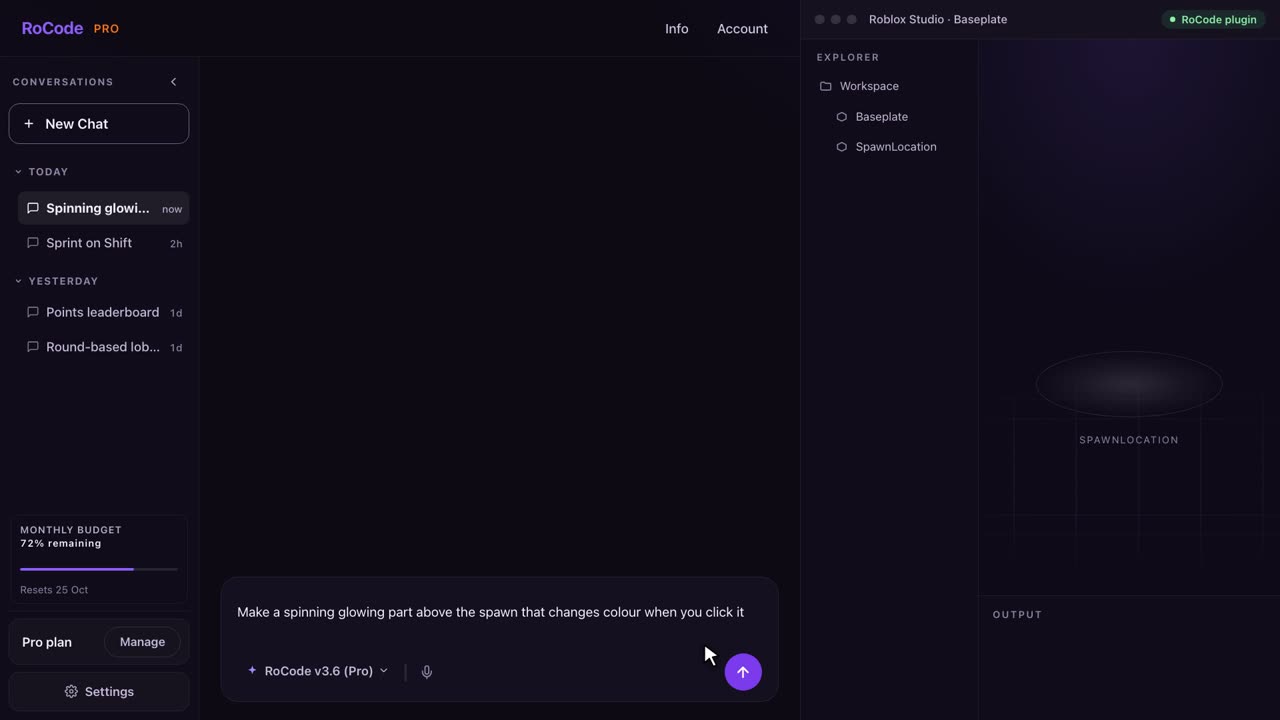
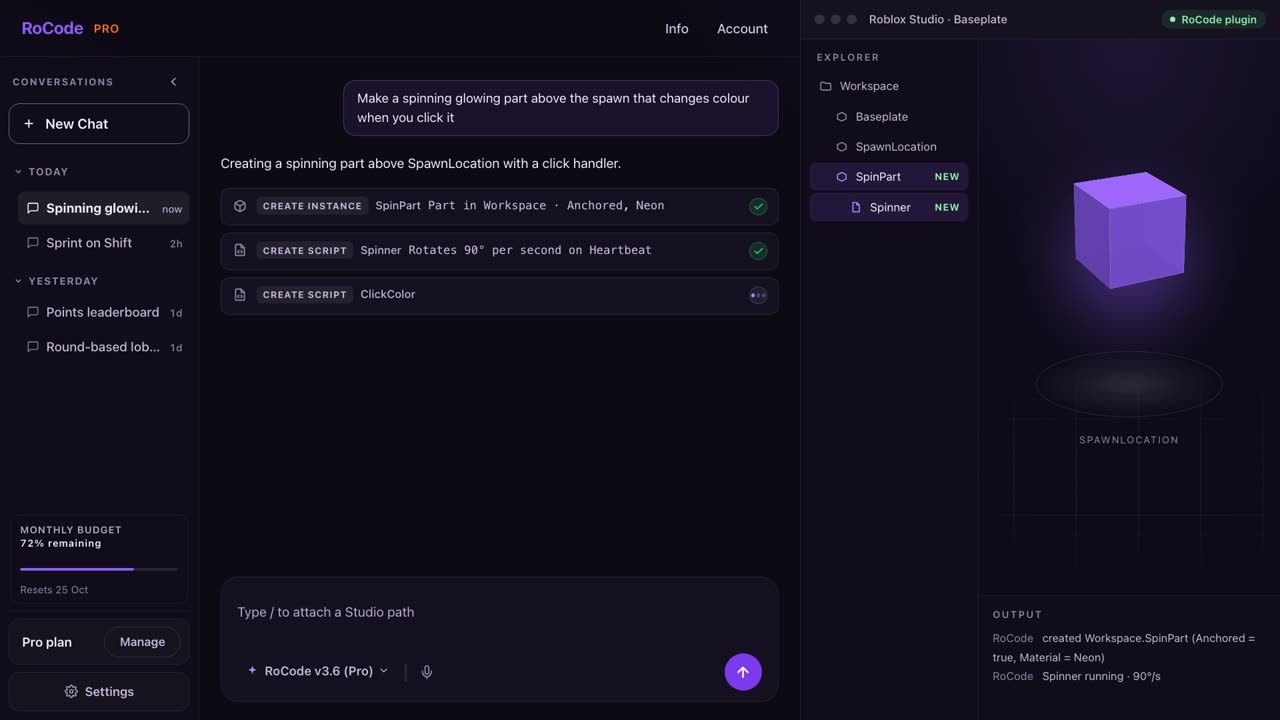
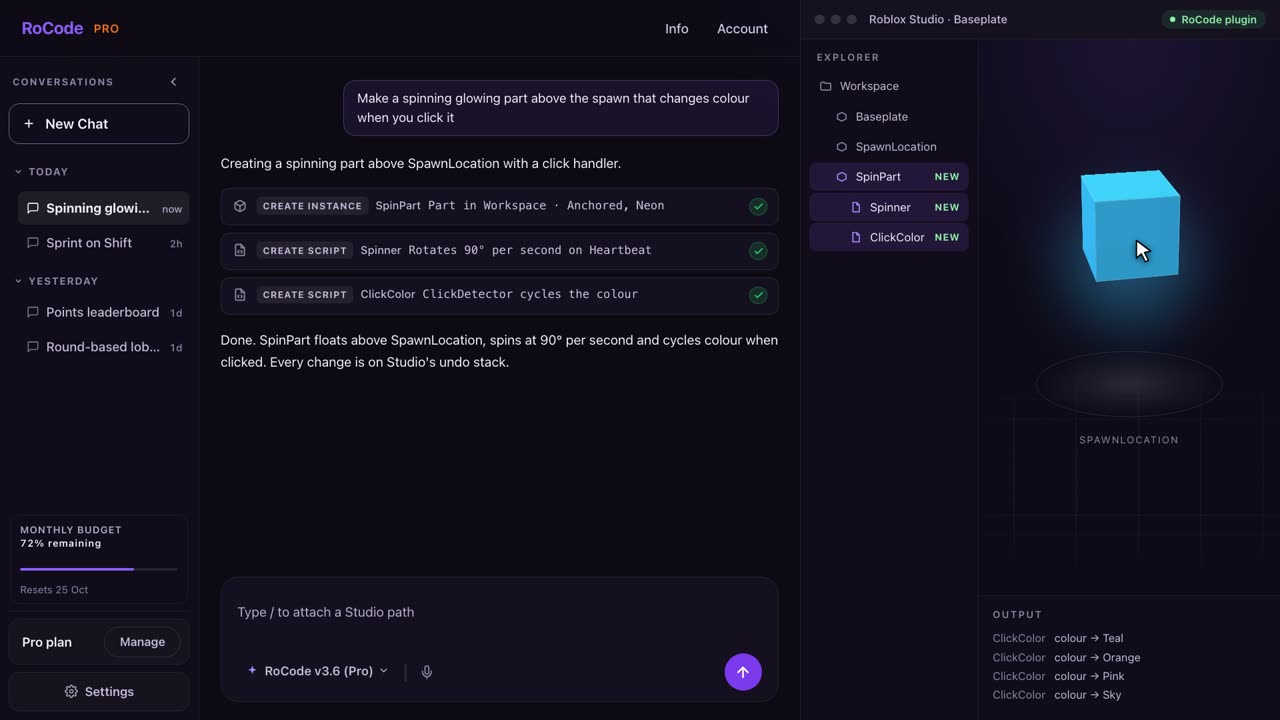
What a RoCode run looks like
Where ZeroScript is stronger
- It costs nothing and has no credits: it runs on a free AI chat you already have, such as DeepSeek.
- Open source under GPL-3.0, so you can read what it does, and there is no ZeroScript account.
- It generates meshes, materials and models, and runs Luau directly in Studio. RoCode does not generate meshes or textures; it places Creator Store models or builds from parts.
- A choice of eight AI chats, from DeepSeek to Gemini and Qwen.
Where RoCode is stronger
- Nothing to set up beyond a Studio plugin: no unpacked extension, no Bridge window and no MCP setting. Studio connects by itself on the same Roblox account.
- The AI is included, with named models by plan. ZeroScript works inside each chat site's page, and its last three releases (22 August to 10 September 2026) fixed it after DeepSeek, ChatGPT and Kimi changed their sites.
- Undo points for every batch of changes, deletes kept in a RoCodeTrash folder, and a read-only Ask mode.
- A test robot that plays the game after a build and reports each check as PASS or FAIL, and scripts compile-checked inside Studio.
- Ready-made UI kits, 25 screens in 5 themes with working server scripts, and themed world islands, each in one step.
- Support in the RoCode Discord and by email, and a full refund within 14 days of any payment.
Pricing
What each one costs
RoCode
$9.99a month for Pro, or 1 free credit a day
- Free Starter plan: 1 credit a day, refilled at 00:00 UTC, on DeepSeek V4 Flash, no card.
- Pro $9.99 a month (150 credits), Studio $19.99 (320), Ultra $29.99 (500), in US dollars before tax. Billed yearly, each plan costs 30% less with the same credits.
- A credit measures what a run costs to compute. An advanced task uses about 4 credits and a standard task on DeepSeek V4 Flash about 0.4, at current rates. Long tasks use more.
- Credit packs from 50 credits for $4.99 up to 1,200 credits for $99.99 never expire, and you can buy them on any plan, the free one included.
- Any payment can be refunded in full within 14 days. Paddle is the seller on your receipt.
ZeroScript
$0with an AI chat you bring
- $0: no price, no credits and no subscription, by its site. Its README says there is no paid version and no sign-in.
- You need an account with the AI chat you use; its site lists a free DeepSeek account.
- That chat's own free limits apply. Its README notes that ChatGPT's free tier limits images on a separate quota.
ZeroScript's own comparison table still lists an older RoCode free allowance and price range. Since 3 October 2026 RoCode counts use in credits, and since 11 October 2026 Pro is $9.99, Studio $19.99 and Ultra $29.99 a month. The pricing page is always current.
Which one
Which should you pick?
Pick ZeroScript if you want to pay nothing, are happy to load an unpacked browser extension and keep a Bridge running on your PC, and want code you can read. It also generates meshes and materials.
Pick RoCode if you want to install only a Studio plugin, have the AI included with named models, undo points for every batch, a test robot that plays the game after a build, and ready-made UI kits and themed worlds. Any payment can be refunded in full within 14 days. See plans and prices, or read what the RoCode plugin can reach.
FAQ
Questions
Is RoCode a ZeroScript alternative?
Yes. Both build in the Roblox Studio place you have open. ZeroScript is a free browser extension that runs on an AI chat you bring and a Bridge on your PC. RoCode is a web chat plus a free Studio plugin with the AI included, 1 free credit a day, and Pro at $9.99 a month.
Is ZeroScript really free?
Yes, by its own site and README: no price, no credits and no subscription, and no paid version. It runs on a free AI chat you sign in to, such as DeepSeek, so that chat's own limits still apply.
Which ZeroScript site is the official one?
zerodev.tools/zeroscript and its GitHub repository, sebattfg/ZeroScript-Free. Its README warns that copycat sites and extensions use the ZeroScript name and ask for payment or an account. Never give any site or tool your Roblox password or cookie.
Does ZeroScript work on a Mac?
Its site lists a Windows PC as a requirement, while its README gives macOS steps as well. RoCode works with Roblox Studio on Windows or Mac.
Sources
- zerodev.tools/zeroscript (opens in a new tab), the official ZeroScript page, read 29 October 2026, for what it is, the setup steps, the eight AI chats, the price, the requirements and its privacy claims.
- github.com/sebattfg/ZeroScript-Free (opens in a new tab) README, read 29 October 2026, for the licence, macOS steps, Python, screenshots per chat, project memory and the copycat warning.
- Its GitHub releases (opens in a new tab), read 29 October 2026: 1.5.5 on 10 September 2026, 1.5.4 on 6 September and 1.5.3 on 22 August 2026.
RoCode facts come from RoCode's pricing page, docs and RoCode facts, checked 29 October 2026. RoCode wrote this page, so we are a competitor. See the full Roblox AI tools comparison.
Try RoCode on your own place.
Free every day, no card required. Install the plugin, describe the feature, and see what lands in Studio.
No card required. Get the Studio plugin (opens in a new tab)