In short
An obby game is a course of numbered stages, each a short jumping challenge that ends on a checkpoint. You need a checkpoint script that saves the highest stage, kill parts that send players back, a handful of reusable obstacle types, and a way to see where players give up. Build 10 stages in grey parts first, test them on real players, then theme, monetize with a skip stage product and cosmetics, and add stages in regular updates.
- Difficulty should rise in waves, not a straight line: a hard stage, then one or two easier ones that use the same idea.
- Teach each new obstacle on a stage where failing costs almost nothing, before you combine it with anything else.
- Log each stage reached as a funnel step on the server, so Creator Hub shows you exactly where players stop.
On this page
What makes an obby work
The loop in one line: jump, fail, respawn close by, try again, reach the next checkpoint. Everything in a good obby protects that loop. A player should be back at the start of the jump they missed within a couple of seconds, and every checkpoint should feel like a small win.
- Every 10 seconds: one readable jump. The player can see where to land before they jump. Unfair obbies hide the landing or use the camera against the player. Fair ones are hard because the jump is tight, not because it is a guess.
- Every minute: a checkpoint. Short stages make failure cheap. A stage that takes three minutes to replay after one slip is where players leave, even when the jump itself is easy.
- Every 5 minutes: something new. A new obstacle type, a new colour theme or a new world. Twenty stages of the same lava jumps feel longer than forty stages that keep changing.
- Every session: a visible goal. The stage number on the player list, the end of the current world, a badge at stage 50. Players stop when they cannot see how far they have to go.
- Other people: players on the same course, a leaderboard of stages or times, and friends to race.
What separates the obbies people finish from the ones they abandon is rarely the art. It is pacing: abandoned obbies spike in difficulty early, repeat the same obstacle, or put a long stage before the first checkpoint. Roblox lists Obby & platformer as its own genre with three subgenres: Classic Obby, Runner (players move automatically) and Tower Obby (climbing upward). Pick the one you are making early, because Roblox lets you change a game's genre only once every three months.
Designing stages and the difficulty curve
Start from the character. A default Roblox character walks at 16 studs per second and jumps 7.2 studs high (the CharacterWalkSpeed and CharacterJumpHeight defaults on StarterPlayer). Build a test strip of platforms at growing gaps and heights before you design anything, and play it. That strip tells you which gaps are easy, which are tight and which are impossible for your settings. If you change jump height or walk speed later, every stage changes with it, so decide early.
| Stages | Goal | What to put there |
|---|---|---|
| 1 to 3 | Nobody fails | Wide platforms, short gaps, one kill part far below. The player learns that falling is cheap. |
| 4 to 7 | Teach one idea each | A first moving platform, a first fading platform, a first spinner. Each on its own, with a safe floor nearby. |
| 8 to 10 | First real test | Combine two ideas the player has seen. End on a checkpoint that feels earned. |
| 11 to 12 | Breather | An easy, good-looking stage. Players who just struggled need a win. |
| 13 to 18 | Raise and release | Hard, easier, harder, easier. Never three hard stages in a row this early. |
| 19 to 20 | World finale | The hardest stage of the world, then a reward: a badge, a new area, a cosmetic. |
Rules that hold across most obbies:
- One new thing at a time. When a stage introduces fading platforms, it should not also be the first stage with a spinner.
- Make danger readable. Kill parts in one colour and material across the whole game (bright red neon is the convention for a reason), and safe parts in others. Players should never die to something that looked safe.
- Short stages, many checkpoints. If a stage takes longer than about a minute to replay, split it.
- No blind jumps. If the landing is out of view, add a sign, an arrow or a lower viewpoint.
- Test on a phone. Touch controls make precise jumps harder. Play every hard stage on a real phone before launch.
The systems an obby needs
| System | What it does | Roblox pieces | Guide |
|---|---|---|---|
| Checkpoints and stage saving | Records the highest stage reached, respawns there, saves it | Touched, leaderstats, DataStoreService | Obby checkpoints |
| Kill parts and lava | Resets a player who touches danger | Touched, Humanoid.Health, tags | Kill brick |
| Moving platforms | Platforms players can ride without sliding off | Physics constraints | Moving platform |
| Fading and spinning obstacles | Reusable obstacle types by tag | CollectionService, RunService.Heartbeat | This page |
| Speed and jump pads | Launch pads and short boosts | Humanoid.WalkSpeed, AssemblyLinearVelocity | Speed and jump pads |
| Skip stage | A paid way past one stage | Developer product, ProcessReceipt | Skip stage product |
| Stage leaderboard | A global top list of stages or times | Ordered data store | Leaderboard |
| Drop-off tracking | Shows the stage where players stop | AnalyticsService funnel events | This page |
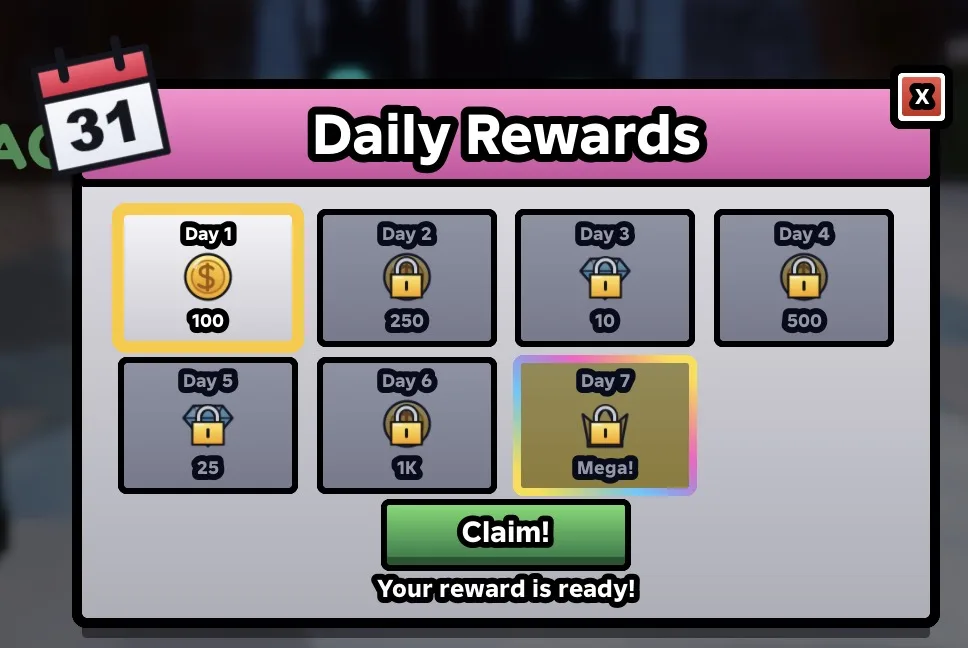
| Daily rewards | A reason to come back tomorrow | Data stores, a GUI | Daily rewards |
The checkpoint system is the only part that must be right before anything else. It owns the stage number, so skip stage, leaderboards and the funnel all read from it. The checkpoint guide stores the stage as an IntValue named Stage in leaderstats, and the scripts on this page read that same value.
Build plan: from a baseplate to launch
- Movement test strip. On a Baseplate, lay out platforms with gaps that grow by 2 studs and heights that grow by 1 stud. Play it, note the largest gap you clear every time and the largest you clear half the time. Those two numbers are your "easy" and "hard".
- Checkpoints. Follow the checkpoint guide: a
Checkpointsfolder with parts named 1, 2, 3, and its server script. Check that dying respawns you on the right checkpoint and that you cannot skip ahead by touching checkpoint 5 from stage 2. - Kill floor. One large kill part under the whole course, plus the kill brick script for every hazard.
- Greybox 10 stages. Plain grey parts, no decoration. Follow the curve above. Add the obstacle script below so fading and spinning parts work by tag.
- First playtest with other people. Publish the place privately or share it with friends and watch them play without helping. Write down every stage where someone died more than five times.
- Fix and extend to 20 to 30 stages. Rebalance the stages from your notes. Then theme them: colours, materials, lighting per world.
- Add the funnel script, and publish. Funnel events only send from a published game, so this is when the drop-off data starts.
- Launch features. A stage counter on screen, a skip stage product, one or two passes, a trail shop, daily rewards and badges for world ends. Then plan your first update before launch day, because the end of your course is where every committed player arrives.
Obstacles by tag: one script for the whole course
An obby with 100 stages and a script inside every obstacle is painful to change. Use tags instead: give a part the tag Fade or Spin in the Properties window (the Tags section) and one server script finds them all with CollectionService. To change how long every fading platform lasts, you edit one number.
-- Script in ServerScriptService named ObbyObstacles.
-- One script for every obstacle: tag a part "Fade" or "Spin" and it works.
local CollectionService = game:GetService("CollectionService")
local Players = game:GetService("Players")
local RunService = game:GetService("RunService")

local FADE_DELAY = 0.6 -- seconds a Fade platform holds after the first touch
local FADE_GONE = 2 -- seconds it stays gone before coming back
local SPIN_SPEED = 90 -- degrees per second, unless the part has a SpinSpeed attribute

local function setupFade(part: BasePart)
	local busy = false
	part.Touched:Connect(function(hit)
		local character = hit.Parent
		if busy or not (character and character:IsA("Model")) or not Players:GetPlayerFromCharacter(character) then
			return
		end
		busy = true
		local start = part.Transparency
		part.Transparency = 0.5 -- warn the player
		task.wait(FADE_DELAY)
		part.Transparency = 1
		part.CanCollide = false
		task.wait(FADE_GONE)
		part.Transparency = start
		part.CanCollide = true
		busy = false
	end)
end

local spinners: { [BasePart]: CFrame } = {}

local function setupSpin(part: BasePart)
	part.Anchored = true
	spinners[part] = part.CFrame
end

for _, part in CollectionService:GetTagged("Fade") do
	if part:IsA("BasePart") then
		setupFade(part)
	end
end
for _, part in CollectionService:GetTagged("Spin") do
	if part:IsA("BasePart") then
		setupSpin(part)
	end
end

-- Turn every spinner from its starting CFrame, so they never drift apart
RunService.Heartbeat:Connect(function()
	local now = workspace:GetServerTimeNow()
	for part, origin in spinners do
		if not part.Parent then
			spinners[part] = nil
			continue
		end
		local speed = part:GetAttribute("SpinSpeed")
		local degrees = (if typeof(speed) == "number" then speed else SPIN_SPEED) * now
		part.CFrame = origin * CFrame.Angles(0, math.rad(degrees % 360), 0)
	end
end)- Fade parts turn half transparent when a player lands, vanish after 0.6 seconds and return 2 seconds later. The half-transparent step is the warning that makes them fair.
- Spin parts are anchored and turn around their vertical axis, good for sweeping bars that players jump over. Give one a
SpinSpeedattribute to change its speed. Spinners turn from shared server time, so two spinners with the same speed stay in step. - Anchored parts moved this way do not carry players. For a platform players stand on while it moves, use the moving platform guide, which moves it with physics.
- The script reads tags once when the server starts. That suits a course built in Studio. If you create obstacles while the game runs, also connect
CollectionService:GetInstanceAddedSignal.
Find the stage where players quit
Roblox's analytics has funnel events: you log numbered steps from the server, and the Funnel page in Creator Hub shows how many players reached each one. For an obby, each stage is a step. The stage where the bar drops sharply is your problem stage.
-- Script in ServerScriptService named StageFunnel.
-- Logs each stage a player reaches as a funnel step, so the Funnel page in
-- Creator Hub analytics shows the stage where players stop.
local AnalyticsService = game:GetService("AnalyticsService")
local Players = game:GetService("Players")

local FUNNEL_NAME = "ObbyStages"
local MAX_STEP = 100 -- funnels accept steps 1 to 100

local function watch(player: Player)
	local leaderstats = player:WaitForChild("leaderstats", 30)
	local stage = leaderstats and leaderstats:WaitForChild("Stage", 30)
	if not (stage and stage:IsA("IntValue")) then
		return
	end
	local function log()
		local step = math.clamp(stage.Value, 1, MAX_STEP)
		-- Repeats of a step are ignored by the funnel, so a returning player is fine
		AnalyticsService:LogFunnelStepEvent(player, FUNNEL_NAME, nil, step, "Stage " .. step)
	end
	log()
	stage.Changed:Connect(log)
end

Players.PlayerAdded:Connect(watch)
for _, player in Players:GetPlayers() do
	task.spawn(watch, player)
end
What the docs say about these events, and what it means here:
- Events are sent only from the server and only in published games, never from the client or Studio. Test the script in Studio for errors, then read the data after publishing.
- A funnel takes steps 1 to 100, and an experience can have up to 10 funnels. A long obby can use one funnel per world, such as
World1for stages 1 to 100 andWorld2for the next 100, with the step number counted from the start of that world. - A repeated step is ignored, so a player who returns at stage 12 does not count twice. If steps are skipped, the steps in between count as completed. A player who buys three skips therefore looks like they cleared those stages, which is worth remembering when you read the chart.
Monetization that fits an obby
Obby players pay to save time, to look good and to play with friends. They resent paying to win something they wanted to earn, so the trick is to sell shortcuts without making the course meaningless for players who do not pay.
| Item | Roblox feature | Accepted? | Watch out for |
|---|---|---|---|
| Skip stage | Developer product (can be bought again) | Yes, it is the genre standard | Grant it in ProcessReceipt after the new stage is saved. The checkpoint guide covers this. |
| Trails, colours, auras | Pass or developer product | Yes | None: cosmetics do not change the challenge. |
| Speed or jump boost | Pass | Mixed | A bigger jump skips your level design and makes stage and time leaderboards unfair. Keep boosted runs off time boards, or sell it only in a casual obby. |
| Flying, noclip, gravity items | Pass | Risky | They remove the challenge, which is the game, for the buyer. |
| Private server | Private servers (monthly Robux fee) | Yes | Popular for playing with friends. Roblox Plus subscribers get paid private servers at no cost, and you still earn from their time there. |
| Watch an ad for a skip | Rewarded video ads | Only if eligible | The reward must be a developer product and cannot be random. Roblox sets eligibility rules for the creator and the game. |
Do not interrupt a jump with a purchase prompt: put a small Skip button where the player can see it and choose it when they are ready. To check pass ownership on the server, see the game pass guide.
What brings obby players back
- Saved progress. Nothing makes a player return like seeing "Stage 47" on the player list. Without saving, a long obby is a one-session game.
- Worlds and updates. Players who finish your course have nothing left to do. Ship new stages on a regular schedule, and say in the game description when the next world is coming.
- Badges at milestones. A badge at the end of each world gives a goal and shows on the player's profile. You can create up to 5 badges for free in a 24 hour period for each game.
- Leaderboards. Highest stage, fastest world time, total completions. A time leaderboard turns a finished obby into a speedrun.
- Daily rewards. A streak that pays in trail colours or skip credits. See the daily rewards guide.
- Friends. A friends-only private server and stages built for two players (one holds a button while the other crosses) give groups a reason to come back together.
Build it with RoCode
RoCode is an independent AI agent for Roblox Studio, not made by Roblox. You describe what you want in a web chat and its Studio plugin writes the Luau and creates the parts, scripts and UI in the place you have open. For an obby it can build the checkpoint system, obstacle scripts and stages a few at a time, and add ready-made screens such as a stage HUD or a shop. It cannot tell you whether a stage is fun or too hard: that still needs real players.
Make the first playable version of an obby in my place: 10 short stages that get harder in waves, a Checkpoints folder with parts named 1 to 10, a checkpoint script that saves the highest stage in leaderstats, a red kill floor under the course, and fading and spinning obstacles driven by the tags Fade and Spin from one server script.
- Writes the checkpoint, kill part and obstacle scripts and builds greybox stages in your place
- Builds a bigger obby in rounds: a few working stages at a time, so you can play each batch
- Can add UI kit screens such as a HUD, a shop, daily rewards or a leaderboard
- Can run a test robot that walks and jumps through stages and reports PASS or FAIL, and takes edit-mode screenshots to check how a stage looks
RoCode does not publish your game, create the skip stage product in Creator Hub or spend Robux. The free plan gives free credits every day, no card needed. How RoCode builds a game.
Questions
How do I make an obby on Roblox without scripting?
You can build the stages with parts alone, but checkpoints that save, kill parts and moving obstacles need scripts. You can paste the scripts from the checkpoint guide and this page without writing any yourself, or describe the obby to RoCode and let it add them.
How many stages should my obby have at launch?
Enough for a satisfying first session with a clear end, which for many obbies is one complete world. More important than the count is that the first ten stages are polished and tested, because that is where most players decide to stay.
Why do players quit my obby at one stage?
Usually a difficulty spike, a long stage with no checkpoint, or a jump whose landing is hard to see. Log stage funnel events as shown above, find the stage with the biggest drop, then make it shorter, add a checkpoint or move it later in the course.
Is a speed or jump pass pay to win in an obby?
It lets buyers skip your level design and beat others on stage or time leaderboards. Many casual obbies sell one anyway. If your game has competitive leaderboards, keep boosted players off them or sell cosmetics instead.
How long does it take to make an obby?
A greybox of 10 stages with checkpoints can be done in a weekend. Testing, theming and balancing a full world, plus monetization, takes much longer, and most of that time is playtesting.
Sources and further reading
- Roblox Creator Docs: Funnel events. server only, published games, repeated and skipped steps
- Roblox Engine API: AnalyticsService. LogFunnelStepEvent, steps 1 to 100, 10 funnels
- Roblox Engine API: Humanoid. default walk speed and jump height
- Roblox Engine API: CollectionService. tags and GetTagged
- Roblox Creator Docs: Genres. Obby & platformer subgenres, changing genre every three months
- Roblox Creator Docs: Developer products. repeat purchases and ProcessReceipt
- Roblox Creator Docs: Private servers. monthly fee and Roblox Plus
- Roblox Creator Docs: Rewarded video ads. developer product rewards, no random rewards
- Roblox Creator Docs: Badges. free badges per day
- RoCode guide: Obby checkpoints. the checkpoint script and skip stage product
How the code was checked: every script on this page passes Luau's strict type checker against Roblox's API definitions (luau-lsp, 26 October 2026). A type check catches misspelt APIs and wrong types, not game logic, so playtest in Studio before you publish.