In short
To make a restaurant game in Roblox Studio, build a kitchen with stations (an ingredient fridge, a stove, a counter) that each have a ProximityPrompt, a menu of dishes with their ingredients, customers who sit and order a random dish, and a serve step where the server compares the player's plate with the order and pays money and a tip. Then add upgrades, more dishes, decorations and saving.
- Everything a player carries lives on the server: the stations change it, the client only shows it.
- Start with three dishes of two or three ingredients each. Speed and flow matter more than a long menu.
- Tips for fast service give the loop its rush; upgrades give it a reason to keep going.
On this page
What makes a restaurant game work
The loop in one line: take an order, gather and cook, serve before the customer gets impatient, earn money and tips, buy upgrades, serve more customers faster.
| How often | What happens | What it needs from you |
|---|---|---|
| Every few seconds | Grab an ingredient, use a station | Prompts in easy reach and a clear view of what you are holding |
| Every order (30 to 90 seconds) | Read an order, make it, serve it | An order bubble over the customer and a patience bar |
| Every few minutes | Buy an upgrade or a new dish | Prices that come within reach every few orders |
| Every session | A bigger restaurant | Saving, decorations and new areas to unlock |
- A readable kitchen. Players should know where everything is after one order. Group stations in the order a dish is made.
- A gentle rush. Customers that wait a little less as the day goes on create pressure. Too much and it becomes stressful; too little and nothing matters.
- Visible progress. A new oven that cooks faster or a second floor of tables is something players see every time they look up.
- Jobs for friends. One player cooks, one serves, one cleans. Co-op restaurant games keep groups together for hours.
- Decor that is yours. Letting players choose tables, colours and themes turns a kitchen into their place.
A restaurant game can lean towards a tycoon (buy buttons and income), towards a roleplay (jobs in a town), or stay a fast cooking game. Pick one before you build the menu.
The systems you need
| System | What it does | Roblox pieces | Guide |
|---|---|---|---|
| Stations | Give ingredients, cook, plate | Parts with a ProximityPrompt, handled on the server | This page |
| Carried plate | What each player is holding | A server table, a player attribute for the HUD | This page |
| Menu | Dishes and their ingredients | One table in a ModuleScript | This page |
| Customers | Walk in, sit, order, wait, leave | NPC models, Humanoid:MoveTo, seats | NPC pathfinding |
| Orders and serving | Checks the plate against the order, pays | Attributes on the customer, a server check | This page |
| Money and upgrades | Pays per dish, buys faster stations | leaderstats, buy buttons | Tycoon script |
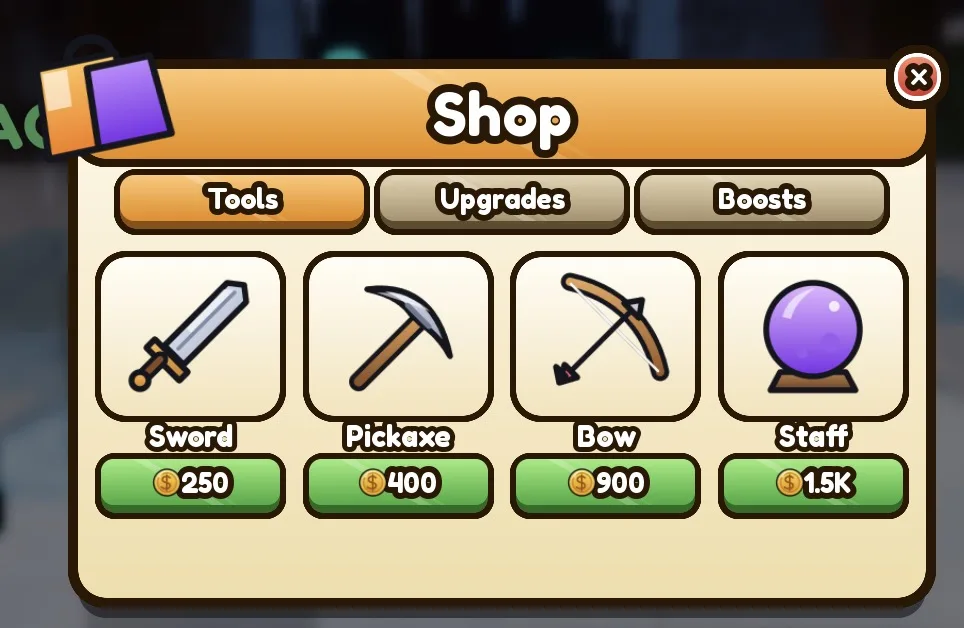
| Shop and decor | Tables, colours, themes | A shop GUI, models in ServerStorage | Shop GUI |
| Saving | Money, upgrades and decor | DataStoreService, names and numbers only | Data stores |
Build plan: from a baseplate to launch
First playable
- Build a small kitchen from parts: a fridge for each ingredient (
Bun,Patty,Lettuce), a stove, and a bin. Give each fridge aProximityPromptand aGivesattribute with the ingredient name; give the stove and bin prompts too, and put them all in a folder namedStations. - Add a counter with one customer: a dummy model with a
ProximityPromptand anOrderattribute. - Add the kitchen script below. Collect the ingredients, cook the patty, serve, and watch your money go up.
- Add a HUD that shows the
Plateattribute (what you carry) and a bubble over the customer that shows the order. - Make customers come and go: after a served order, the customer leaves and a new one arrives with a random dish.
First public test
Three dishes, four tables, two upgrades. Watch the time from a customer sitting down to being served. If new players take far longer than you, the kitchen layout or the order display is the problem, not the players.
What to add for launch
- Six to ten dishes, unlocked as the restaurant grows.
- Patience bars and tips: the faster the service, the bigger the tip.
- Upgrades that change how you play: a faster stove, a second fridge closer to the counter, a waiter NPC.
- Decor with a few themes, and saving for money, upgrades and decor.
- Co-op: let friends join your restaurant and share the tips.
- The Maturity and Compliance Questionnaire in the Creator Dashboard: Roblox restricts who can play a game without content maturity information.
The defining mechanic: cook, plate and serve
The kitchen script keeps each player's plate on the server as a list of ingredients. Fridges add an ingredient, the stove turns a raw patty into a cooked one, the bin empties the plate, and a customer's prompt serves it. The server compares the plate with the dish in the customer's Order attribute: same ingredients, any order, and the player is paid.
Workspace
  Stations Folder
    BunFridge Part        ProximityPrompt, attribute Gives = "Bun"
    PattyFridge Part      ProximityPrompt, attribute Gives = "RawPatty"
    LettuceFridge Part    ProximityPrompt, attribute Gives = "Lettuce"
    Stove Part            ProximityPrompt
    Bin Part              ProximityPrompt
  Customers Folder
    Customer Model        ProximityPrompt in its root part, attribute Order = "Burger"
ServerScriptService
Kitchen Script new-- Script in ServerScriptService named Kitchen.
-- Each player's plate lives here. Stations change it; customers check it and pay.
local Players = game:GetService("Players")
local MENU: { [string]: { ingredients: { string }, price: number } } = table.freeze({
Burger = { ingredients = { "Bun", "Patty", "Lettuce" }, price = 15 },
Salad = { ingredients = { "Lettuce", "Lettuce" }, price = 8 },
PlainBurger = { ingredients = { "Bun", "Patty" }, price = 10 },
})
local MAX_ON_PLATE = 5
local plates: { [Player]: { string } } = {}
local function plateOf(player: Player): { string }
local plate = plates[player]
if not plate then
plate = {}
plates[player] = plate
end
return plate
end
local function showPlate(player: Player)
player:SetAttribute("Plate", table.concat(plateOf(player), ", ")) -- the HUD reads this
end
local function sameIngredients(plate: { string }, needed: { string }): boolean
if #plate ~= #needed then
return false
end
local counts: { [string]: number } = {}
for _, item in needed do
counts[item] = (counts[item] or 0) + 1
end
for _, item in plate do
local left = counts[item]
if not left or left == 0 then
return false
end
counts[item] = left - 1
end
return true
end
local function pay(player: Player, amount: number)
local leaderstats = player:FindFirstChild("leaderstats")
local cash = leaderstats and leaderstats:FindFirstChild("Cash")
if cash and cash:IsA("IntValue") then
cash.Value += amount
end
end
-- Stations
for _, station in workspace:WaitForChild("Stations"):GetChildren() do
local prompt = station:FindFirstChildWhichIsA("ProximityPrompt")
if not prompt then
continue
end
prompt.Triggered:Connect(function(player)
local plate = plateOf(player)
local gives = station:GetAttribute("Gives")
if typeof(gives) == "string" then
if #plate < MAX_ON_PLATE then
table.insert(plate, gives)
end
elseif station.Name == "Stove" then
local raw = table.find(plate, "RawPatty")
if raw then
plate[raw] = "Patty" -- a real game would wait a few seconds here
end
elseif station.Name == "Bin" then
table.clear(plate)
end
showPlate(player)
end)
end
-- Customers
local function setUpCustomer(customer: Instance)
local prompt = customer:FindFirstChildWhichIsA("ProximityPrompt", true)
if not prompt then
return
end
prompt.Triggered:Connect(function(player)
local order = customer:GetAttribute("Order")
local dish = if typeof(order) == "string" then MENU[order] else nil
if not dish then
return
end
local plate = plateOf(player)
if not sameIngredients(plate, dish.ingredients) then
return -- wrong plate: nothing happens, the player can fix it
end
table.clear(plate)
showPlate(player)
pay(player, dish.price)
-- next order for this customer (in a full game, a new customer walks in)
local names: { string } = {}
for name in MENU do
table.insert(names, name)
end
customer:SetAttribute("Order", names[math.random(1, #names)])
end)
end
local customers = workspace:WaitForChild("Customers")
for _, customer in customers:GetChildren() do
setUpCustomer(customer)
end
customers.ChildAdded:Connect(setUpCustomer)
Players.PlayerAdded:Connect(function(player)
local leaderstats = Instance.new("Folder")
leaderstats.Name = "leaderstats"
local cash = Instance.new("IntValue")
cash.Name = "Cash"
cash.Parent = leaderstats
leaderstats.Parent = player
showPlate(player)
end)
Players.PlayerRemoving:Connect(function(player)
plates[player] = nil
end)Because the menu is one table, a new dish is one line: its name, its ingredients and its price. To add cooking time, disable the stove's prompt, wait with task.wait, then swap the patty and enable it again. For a tip, store the time the customer sat down in an attribute, and pay a bonus that shrinks the longer the order took.
The hard part: flow and pacing
A restaurant game lives or dies on how it feels to be busy. The kitchen and the customer rate have to be designed together:
- Walking time is the real difficulty. Measure how many seconds it takes to make each dish, including walking. That number, not the menu length, decides how hard a rush is. Upgrades that move a fridge closer are as valuable as a faster stove.
- Customer rate follows the players. Spawn the next customer based on how many orders are open per player. Two open orders per cook is busy; five is chaos.
- Patience that forgives. A customer who leaves after ten seconds punishes new players. Start long and shorten it as the restaurant grows.
- Mistakes cost little. A wrong plate goes in the bin and costs an ingredient, not money. Players learn faster when mistakes are cheap.
- Fewer NPCs, better moving. Each walking customer is a Humanoid; dozens at once get heavy. Cap the customers per restaurant and reuse models.
Monetization that fits a restaurant game
Restaurant players pay to grow faster and to make the place look like theirs. Both fit, as long as a free player can still build a great restaurant:
| Roblox feature | Fits well | Turns into pay-to-win when |
|---|---|---|
| Game pass (bought once) | 2x cash, a decor theme pack, an auto-chef, an extra floor | It is the only way to reach later dishes |
| Developer product (bought again and again) | A cash pack, a rush of customers for ten minutes | Prices are tuned so progress stalls without it |
| Private server (free or a monthly Robux fee) | Running the restaurant with friends only | Rarely: it only changes who is in the server |
| Subscription (monthly) | A daily cash bonus, a monthly decoration | The bonus is so big that free players fall far behind |
A developer product must be granted through MarketplaceService.ProcessReceipt so a purchase is never lost; the game pass guide covers pass checks and prompts. A subscription must keep its benefits for the full term, and changing the private server price cancels every active private server subscription. Roblox also pays creators through Creator Rewards, which replaced engagement-based payouts on 24 July 2025. Rewarded video ads, where your game qualifies, must reward a developer product and cannot be random: double tips for five minutes fits. The Robux tax calculator shows what a sale earns after Roblox's cut.
What brings players back
- A saved restaurant. The upgrades and decor a player paid for are the strongest reason to return.
- New dishes and themes. Because dishes are lines in one table, each update can add a few. A seasonal menu is an easy event.
- Daily specials. A dish of the day that pays double, picked from the date.
- Ratings. A star rating for the restaurant that rises with good service, shown on a leaderboard.
- Daily rewards and codes. Cash or a decoration for a streak (daily rewards, codes).
Build a restaurant game with RoCode
RoCode is an independent AI agent for Roblox Studio. You describe what you want in a web chat, and its free Studio plugin writes the Luau and creates the scripts, parts and UI in the place you have open. For a restaurant game it works in rounds: first the kitchen and one dish, then customers and orders, then upgrades and decor.
Make the first playable version of a restaurant game: a kitchen with fridges for Bun, Patty and Lettuce, a stove that cooks a raw patty and a bin, all with ProximityPrompts, a server-side plate for each player, a counter with a customer who orders a random dish from a menu of three, serving that only pays when the plate matches the order, Cash in leaderstats, and a HUD that shows what I am carrying.
- Writes the kitchen, order and serving scripts on the server, and builds the kitchen and counter from parts
- Can add ready-made screens such as a shop, a HUD, quests and daily rewards
- Builds the game a working part at a time, so you can cook each dish before the next feature
- Takes screenshots in edit mode to check how the restaurant looks
It cannot make custom food meshes or animations, publish the game, or tell you whether the rush feels right: you still run the kitchen yourself. Free credits every day, no card needed. How RoCode builds a game.
Questions
How do I make a cooking system in Roblox?
Keep what each player carries in a table on the server. Give each station a ProximityPrompt whose Triggered event adds, changes or removes items. The client only displays the plate.
How do I make customers that order food?
Give each customer model an Order attribute with a dish name and show it in a bubble above them. When a player serves, compare their plate with that dish's ingredients on the server and pay if they match.
Should my restaurant game be a tycoon?
It can be. A tycoon-style restaurant earns money while you build; a cooking-style one earns only when you serve. Many games mix them: you cook, and upgrades add helpers that cook for you.
How do I make a restaurant game multiplayer?
Give each player or group their own restaurant plot, or one shared restaurant per server where everyone splits the tips. The server script works for both, because each player has their own plate.
Can I make a restaurant game without scripting?
You can build the kitchen and the decor without scripting. Stations, orders and money need scripts. Paste the one on this page, or describe the game to an AI tool like RoCode and test what it builds.
Sources and further reading
- Roblox Creator Docs: ProximityPrompt. Triggered gives the player who used it
- Roblox Creator Docs: attributes
- Roblox Creator Docs: TextService. filtering text players write
- Roblox Creator Docs: Developer products
- Roblox Creator Docs: Subscriptions
- Roblox Creator Docs: Creator Rewards
- RoCode guide: Tycoon script
- RoCode guide: Shop GUI
How the code was checked: every script on this page passes Luau's strict type checker against Roblox's API definitions (luau-lsp, 4 November 2026). A type check catches misspelt APIs and wrong types, not game logic, so playtest in Studio before you publish.