In short
To make a farming game in Roblox Studio, give each player plots of soil with a ProximityPrompt, store each crop as a type plus the os.time() it was planted, and compute growth from the time that has passed instead of running a timer per crop. Harvest pays coins, coins buy better seeds and more land, and everything is saved in one data store key per player, so crops keep growing offline.
- Never count growth with a loop per crop. Save the planting time and compare it with the clock.
- Give the waiting time something to do: fishing, decorating, orders or a second crop on another plot.
- Sell more land and convenience, not instant wins. Random seed packs bought with Robux fall under Roblox's paid random items rules.
On this page
What makes a farming game work
The core loop in one line: plant, wait, harvest, sell, buy better seeds and more land, plant again. The interesting design question is the wait. A good farming game makes the wait feel like anticipation, not like a queue.
| How often | What happens | What it needs from you |
|---|---|---|
| Every few seconds | Plant, water or harvest a plot, cast a line | Instant feedback: a pop, a sound, coins flying up |
| Every few minutes | A crop finishes, a fish bites, a trip to the market | Crops with different grow times, so something is always nearly ready |
| Every session | A new plot, a new seed tier, a decoration | A clear next purchase on screen |
| Between sessions | Slow crops finish while the player is away | Growth from timestamps and reliable saving |
- A spread of grow times. Fast crops for the first five minutes, slow valuable crops planted before logging off. The slow ones are what bring players back.
- Something to do while waiting. Fishing is the classic second loop, which is why many farming games include it. Orders from NPCs, decorating and animals work too.
- Visible progress. More land, bigger fields, a nicer farmhouse. Players should see their farm grow, not just a number.
- No punishment for being away. Crops that rot while the player sleeps teach them to stop coming back. Let ready crops wait.
- A world with neighbours. Seeing other farms in the same server makes the game feel alive and gives players something to aim for.
If you want the trading and mutation side of the genre, the Grow a Garden style guide covers that version.
The systems you need
| System | What it does | Roblox pieces | Guide |
|---|---|---|---|
| Farm plots | Gives each player their own land in the server | Anchored parts or models, a claim pad, attributes | Tycoon (claim pad) |
| Crops | Plant, grow from a timestamp, harvest | ProximityPrompt, os.time(), attributes | This page |
| Seed shop | Sells seeds for coins, unlocks tiers | A shop GUI, RemoteEvent | Shop GUI |
| Selling | Turns crops into coins | A sell stand with a prompt, leaderstats | Coin collect |
| Tools | Hoe, watering can, fishing rod | Tool in StarterPack or the backpack | Inventory |
| Fishing | A second loop for the waiting time | A rod Tool, tagged water, weighted fish | Fishing system |
| Time of day | A day and night cycle for mood | Lighting.ClockTime | Day and night |
| Orders and NPCs | Requests like "bring 10 carrots" | NPC models, prompts, dialogue GUI | NPC dialogue |
| Saving | Coins, seeds and every plot's crop and planting time | DataStoreService | Data stores |
Build plan: from a baseplate to launch
First playable
- Lay out the land. One farm area per player slot, each a grid of soil parts (start with 3 by 3) inside a folder. Put a market stall and a pond in the middle of the map where farms meet.
- Add the crop script below with two crops: one that grows in under a minute and one that takes several minutes. Plant, wait, harvest, and check the coins.
- Assign farms. Give each joining player a free farm, or use a claim pad as in the tycoon guide, and only let the owner use its plots.
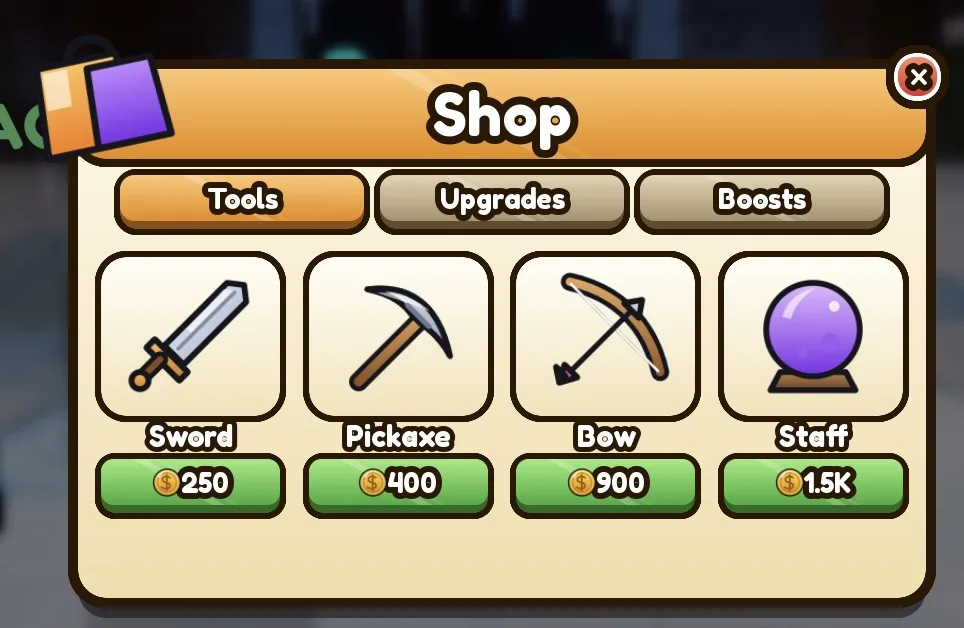
- Add a seed shop so the player chooses which seed to plant, and a sell stand if you want harvests to go into a bag first instead of straight to coins.
- Save coins, seeds and each plot's crop name and planting time, keyed by the plot's number on the farm, not its position in the world. On the next join, the player may get a different farm in a different server.
- Show growth: scale or recolour a crop model by progress, so a field looks different at 20% and 90%.
First public test
Two crops, one farm per player, a shop, saving. Watch whether players understand what to do in their first minute, and whether they come back after planting a slow crop. Test offline growth yourself as well: plant a slow crop, leave the game, rejoin later and confirm it finished.
What to add for launch
- Six to ten crops across three tiers, and land expansions bought with coins.
- Fishing at the pond, from the fishing system guide, with fish that sell at the same market.
- An order board with daily requests, and a day and night cycle.
- Decorations, so players can make the farm their own.
- The Maturity and Compliance Questionnaire in the Creator Dashboard: a game without content maturity information is restricted by Roblox.
The defining mechanic: crops that grow from timestamps
The naive way to grow a crop is a loop that waits and then changes its stage. It breaks the moment the server shuts down or the player leaves, and a thousand crops means a thousand loops. The script below stores two attributes on each plot, the crop name and the os.time() it was planted, and works out progress as time passed divided by the grow time. One loop updates every prompt's text once a second.
Workspace
  Plots Folder
    Plot1 Part   anchored soil, one per plot
    Plot2 Part
ServerScriptService
CropServer Script new-- Script in ServerScriptService named CropServer.
-- Plant, grow and harvest on the server. Growth is worked out from os.time(), so a saved crop grows offline too.
type Crop = { seconds: number, cost: number, sell: number }
local CROPS: { [string]: Crop } = {
Carrot = { seconds = 30, cost = 5, sell = 12 },
Pumpkin = { seconds = 300, cost = 40, sell = 130 },
}
local plots = workspace:WaitForChild("Plots") :: Folder -- anchored parts, one per patch of soil
local function coins(player: Player): IntValue?
local stats = player:FindFirstChild("leaderstats")
local value = stats and stats:FindFirstChild("Coins")
return if value and value:IsA("IntValue") then value else nil
end
-- How far a plot has grown, from 0 to 1, using os.time() saved at planting
local function progress(plot: BasePart): number
local crop = CROPS[plot:GetAttribute("Crop") :: string]
local plantedAt = plot:GetAttribute("PlantedAt") :: number?
if not crop or not plantedAt then
return 0
end
return math.clamp((os.time() - plantedAt) / crop.seconds, 0, 1)
end
local function onPrompt(plot: BasePart, player: Player)
local wallet = coins(player)
local owner = plot:GetAttribute("Owner")
if not wallet or (owner and owner ~= player.UserId) then
return -- someone else's plot
end
local cropName = plot:GetAttribute("Crop") :: string?
if not cropName then
local seed = (player:GetAttribute("Seed") :: string?) or "Carrot" -- picked in the seed shop
local crop = CROPS[seed]
if crop and wallet.Value >= crop.cost then
wallet.Value -= crop.cost
plot:SetAttribute("Owner", player.UserId)
plot:SetAttribute("Crop", seed)
plot:SetAttribute("PlantedAt", os.time())
end
elseif progress(plot) >= 1 then
wallet.Value += CROPS[cropName].sell
plot:SetAttribute("Crop", nil)
plot:SetAttribute("PlantedAt", nil)
end
end
for _, plot in plots:GetChildren() do
if plot:IsA("BasePart") then
local prompt = Instance.new("ProximityPrompt")
prompt.ActionText = "Plant"
prompt.Parent = plot
prompt.Triggered:Connect(function(player)
onPrompt(plot, player)
end)
end
end
-- Once a second: update each prompt's text so players see what pressing E will do
while true do
for _, plot in plots:GetChildren() do
local prompt = plot:FindFirstChildOfClass("ProximityPrompt")
if prompt and plot:IsA("BasePart") then
local p = progress(plot)
prompt.ActionText = if not plot:GetAttribute("Crop") then "Plant" elseif p >= 1 then "Harvest" else "Growing"
prompt.ObjectText = if plot:GetAttribute("Crop") then math.floor(p * 100) .. "%" else ""
end
end
task.wait(1)
endIt expects a Coins value in leaderstats, which the leaderboard guide creates, and reads the chosen seed from a Seed attribute your seed shop sets on the server. The first planting claims a plot for that player; after that, nobody else can plant or harvest it.
Saving is where the timestamp pays off. When the player leaves, write each owned plot as { crop = "Pumpkin", plantedAt = 1793000000 } into their data. When they come back, set the same two attributes on their new plots. The crop is exactly as far along as the clock says, with no catch-up code. Roblox recommends keeping each player's data under one key when it fits the 4 MB size limit, and a farm of crop names and numbers is far below that.
Monetization that fits a farming game
Farming games are mostly cooperative, so buying speed is less harmful than in a race. The risk is different: if the waits are tuned to push players towards paying, the game feels like a queue with a toll booth. Set grow times for fun first, then sell convenience on top.
| Roblox feature | Fits well | Watch out for |
|---|---|---|
| Game pass (bought once) | Extra plots, a bigger bag, a sprinkler that waters a whole field, a farmhouse style | Plots so expensive in coins that the pass is the only real way to expand |
| Developer product (bought again) | Finish one crop now, a coin pack, a premium seed | Grow times stretched so the skip feels required |
| Developer product: random seed pack | A pack with a chance of rare seeds | It is a paid random item: show every outcome and its odds before purchase |
| Game pass: lucky fishing rod | Better odds of rare fish | Roblox's policy uses a "magic fishing rod" as its own example: explain the odds change in numbers and update the shown odds while it is used |
| Private server | Farming with friends without strangers | Nothing special |
| Subscription (monthly) | A daily seed bundle, a monthly decoration | Benefits must last the full term once live |
For anything random bought with Robux, or with currency bought with Robux, the RNG game guide explains the paid random item rules: odds as percentages that add up to 100%, and a PolicyService check to hide or replace the item for players where ArePaidRandomItemsRestricted is true. Seeds and fish earned by playing do not need odds shown.
Grant developer products through MarketplaceService.ProcessReceipt, and see the game pass guide for pass checks. If your game qualifies for rewarded video ads, the reward must be a developer product and cannot be random, so "watch an ad to finish this crop" fits. Roblox's Creator Rewards replaced engagement-based payouts on 24 July 2025.
What brings farmers back
- The crop that finishes tomorrow. A valuable slow crop planted before leaving is the genre's built-in reason to return. Tell the player when it will be ready.
- Daily orders. Three NPC requests that refresh each day, paying more than the market. They also pull players into crops they ignore.
- Seasons. A crop or fish that only exists for a few weeks, announced with an update.
- Collections. A crop and fish index with empty slots, and a reward per completed page.
- Daily rewards and codes (daily rewards, codes) that pay seeds rather than coins, so they feed the loop.
- Farms worth showing. Decorations and a visit button so friends can see each other's farms.
Build a farming game with RoCode
RoCode is an independent AI agent for Roblox Studio. You describe the game in a web chat, and its free Studio plugin writes the Luau and creates the scripts, parts and UI in the place you have open. For a farming game, start with plots and crops, then add the shop, saving and fishing one round at a time.
Make the first playable version of a farming game: a 3 by 3 grid of soil plots for each player, Carrot and Pumpkin seeds bought for coins in a seed shop, crops that grow from the os.time they were planted with prompts showing Plant, Growing with a percent, or Harvest, coins for harvesting, and saving of coins and every plot so crops keep growing offline.
- Writes the crop and plot scripts on the server and builds the soil grid from parts
- Can add ready-made screens such as a shop, an inventory, quests and daily rewards
- Can build themed world islands such as jungle or snow in one call, for a second farming area
- Builds the game a working part at a time, and can run a test robot that walks to parts and presses keys
It cannot make custom crop meshes or animations from scratch, or publish the game, and it cannot tell you whether your grow times feel right. Free credits every day, no card needed. How RoCode builds a game.
Questions
How do I make crops grow while the player is offline?
Save the crop's planting time from os.time() on the server along with its name. When the player rejoins, growth is the time passed divided by the grow time, so the crop is exactly as far along as it should be.
Can I make a farming game without scripting?
You can build the land and buildings without scripts, but planting, growth, coins and saving all need them. Paste the crop script on this page and the linked guides, or describe the game to an AI tool such as RoCode and test what it builds.
How many plots should a player start with?
Few enough that their first harvest takes under a minute of clicking, often a small grid such as 3 by 3. Selling more land is then the first big goal.
Should I add fishing to a farming game?
It is a good fit, because it fills the waiting time between harvests. The fishing system guide has a rod, bites and rare fish you can sell at the same market.
Are random seed packs allowed?
Yes, but if they are bought with Robux, or with currency bought with Robux, they are paid random items: show every possible seed and its odds as percentages before purchase, and apply a PolicyService treatment for restricted players.
Sources and further reading
- Roblox Creator Docs: ProximityPrompt
- Roblox Creator Docs: Data store best practices. one key per player within the 4 MB limit
- Roblox Creator Docs: Paid random items policy guidelines. random packs and odds boosting items such as a fishing rod
- Roblox Creator Docs: Passes
- Roblox Creator Docs: Developer products
- Roblox Creator Docs: Core loops
- Roblox Creator Docs: Balance virtual economies. resource planning and sinks
- RoCode guide: Fishing system
- RoCode guide: Saving player data
How the code was checked: every script on this page passes Luau's strict type checker against Roblox's API definitions (luau-lsp, 26 October 2026). A type check catches misspelt APIs and wrong types, not game logic, so playtest in Studio before you publish.