In short
A parkour game has two halves. Movement runs on the client so it answers instantly: extra moves such as a wall jump are a LocalScript that listens to UserInputService.JumpRequest, raycasts for a wall and sets the character's velocity. Timing runs on the server so it can be trusted: touching Start begins a run, checkpoints must be touched in order, and touching Finish stops the clock and saves the best time to an ordered data store as whole milliseconds.
- Design maps around routes, not single jumps. A good map has an obvious path for beginners and a faster, harder one for experts.
- Reject runs that skip checkpoints or beat a minimum possible time. Without that, the top of your leaderboard belongs to exploiters.
- Keep anything you sell that changes speed or jump out of timed runs, or give boosted runs their own board.
On this page
What makes a parkour game work
The loop in one line: run the course, find a faster line, run it again, beat a time. Progress is mostly in the player's hands: the map does not change, they get better at it.
| Time scale | What the player does | What keeps it fun |
|---|---|---|
| Every second | Jumps, wall jumps, lands, turns | Controls that respond instantly and land where expected |
| Every run (30 seconds to a few minutes) | Tries a route, fails or finishes | Instant restart; no waiting after a mistake |
| Every session | Beats a personal best, earns a medal, unlocks a map | Visible improvement: splits, medals, rank |
| Every week | Climbs a fresh weekly board | A leaderboard that new players can still top |
Three things separate parkour games people replay from those they try once. Feel: if a wall jump sometimes fails for no visible reason, players blame the game, not themselves. Instant restart: a key or button that puts you back at the start with the timer reset; every second of waiting after a fall is a reason to quit. Readable routes: players should be able to see where the fast line is, even if they cannot pull it off yet.
If your game is a sequence of stages with checkpoints where clearing each jump is the goal, that is an obby; the obby guide fits better. Many games combine both: obby stages with a timer on top.
The systems you need
| System | What it does | Roblox pieces | Guide |
|---|---|---|---|
| Extra moves | Wall jump, dash, double jump, slide | LocalScript, UserInputService, Workspace:Raycast | This page, Sprint, dash, double jump |
| Mobile controls | On-screen buttons for each move | ContextActionService (touch buttons) | Sprint |
| Speedrun timer | Start, ordered checkpoints, finish on the server | Touched, os.clock | This page |
| Best times | Saves each player's fastest run | GetOrderedDataStore, UpdateAsync | This page |
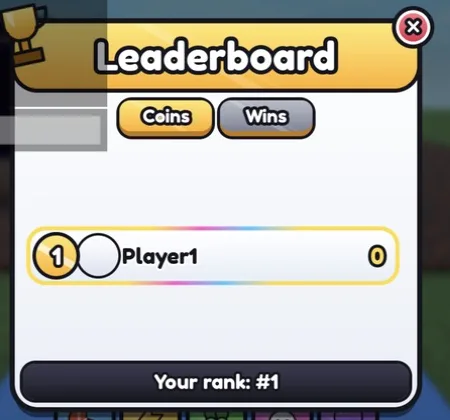
| Leaderboard | Top times on a board in the lobby | GetSortedAsync, SurfaceGui | Leaderboard |
| Checkpoints and respawn | Respawn mid-course in practice mode | SpawnLocation, attributes | Obby checkpoints |
| Boost pads and moving parts | Launch pads, conveyors, moving platforms | AssemblyLinearVelocity, constraints | Speed pads, Moving platform |
| Hazards | Parts that reset the run | Touched, Humanoid | Kill brick |
| Map select | Teleport between courses | Teleport parts or a menu | Teleporter |
Build plan: from a baseplate to launch
First playable (greybox)
- Decide your move set before building any map: for example run, jump, wall jump and sprint. Every gap and wall in the map is measured against these moves, so changing them later means rebuilding.
- Build a test room: walls at different distances, gaps of rising width, a ledge you can only reach with a wall jump. Tune the move numbers here until every jump feels intended.
- Build one short course in a Model named
Coursewith aStartpart, aCheckpointsfolder (parts named 1, 2, 3...) and aFinishpart. Give it an easy route and a faster hard one. - Add the wall jump and the timer below. Add an instant restart key that teleports the player to Start.
First public test
- A lobby leaderboard with the top ten times, and the player's last run and best on screen.
- Mobile buttons for every move, then test on a phone. If a move needs two fingers at once on a touch screen, redesign it.
- Publish, then watch where players fall most. A section where nearly everyone fails is usually unclear rather than hard.
Before launch
- Three or more courses of rising difficulty, unlocked by finishing the previous one or by medal times.
- Medal times (gold, silver, bronze) per course, splits at each checkpoint, and a weekly leaderboard.
- Cosmetic trails, a practice mode with checkpoints that does not record times, and saving of best times and medals.
A wall jump that feels right
This LocalScript goes in StarterCharacterScripts, so it runs for each new character. JumpRequest fires for the spacebar and the mobile jump button, so it works on every device without extra controls. When the character is falling and a raycast finds a wall in front, it pushes the character up and away and turns them to face away from the wall, ready for the next wall.
-- LocalScript in StarterPlayer > StarterCharacterScripts named WallJump.
-- Press jump in the air while facing a wall to kick off it. It runs in a
-- LocalScript so the jump answers the key press with no round trip to the server.
local UserInputService = game:GetService("UserInputService")

local character = script.Parent :: Model
local humanoid = character:WaitForChild("Humanoid") :: Humanoid
local root = character:WaitForChild("HumanoidRootPart") :: BasePart

local REACH = 3 -- studs from the body to the wall
local PUSH = 35 -- speed away from the wall
local LIFT = 50 -- upward speed
local COOLDOWN = 0.35

local params = RaycastParams.new()
params.FilterType = Enum.RaycastFilterType.Exclude
params.FilterDescendantsInstances = { character }
local lastJump = 0

UserInputService.JumpRequest:Connect(function()
	if humanoid:GetState() ~= Enum.HumanoidStateType.Freefall then
		return -- on the ground, the normal jump happens
	end
	if os.clock() - lastJump < COOLDOWN then
		return
	end
	local result = workspace:Raycast(root.Position, root.CFrame.LookVector * REACH, params)
	if not result then
		return
	end
	lastJump = os.clock()
	local away = Vector3.new(result.Normal.X, 0, result.Normal.Z)
	if away.Magnitude > 0 then
		away = away.Unit
	end
	root.AssemblyLinearVelocity = away * PUSH + Vector3.new(0, LIFT, 0)
	root.CFrame = CFrame.lookAt(root.Position, root.Position + away) -- turn to face away
end)- Tune in the test room.
LIFTsets how high each kick goes,PUSHhow far. Two walls a few studs apart should let a skilled player climb. - Forgiveness. Many "the jump didn't work" moments are timing. Accept a jump press a fraction of a second before the character reaches the wall by remembering the press for a short time and checking again.
- Anti-cheat. Movement runs on the client, so an exploiter can change it. That is why the timer below checks checkpoints and a minimum time on the server instead of trusting the client.
A speedrun timer the server checks
The server starts the clock when a player touches Start (touching it again restarts), counts checkpoints only in order, and stops at Finish. A run that missed a checkpoint, or that beat MIN_SECONDS, is not saved. Ordered data stores only hold integers, so the time is saved in milliseconds, and UpdateAsync keeps whichever time is lower.
-- Script in ServerScriptService named SpeedrunTimer.
-- Times runs on the server: touch Start, touch every part in the Checkpoints folder
-- in order (named 1, 2, 3 ...), touch Finish. Best times go to an ordered data store.
local DataStoreService = game:GetService("DataStoreService")
local Players = game:GetService("Players")

local MIN_SECONDS = 20 -- faster than any honest run: anything below is rejected
local bestTimes = DataStoreService:GetOrderedDataStore("BestTimes_v1")
local course = workspace:WaitForChild("Course")
local checkpoints = course:WaitForChild("Checkpoints")
local runs: { [Player]: { started: number, next: number } } = {}

local function playerFrom(hit: BasePart): Player?
	local character = hit.Parent
	return if character and character:IsA("Model") then Players:GetPlayerFromCharacter(character) else nil
end

local function finish(player: Player, seconds: number)
	local ms = math.floor(seconds * 1000) -- ordered data stores hold whole numbers
	player:SetAttribute("LastRun", ms)
	local ok, err = pcall(function()
		bestTimes:UpdateAsync("player_" .. player.UserId, function(old: number?): number
			if old and old <= ms then
				return old -- not a new best: keep the old time
			end
			return ms
		end)
	end)
	if not ok then
		warn("Best time not saved:", err)
	end
end

(course:WaitForChild("Start") :: BasePart).Touched:Connect(function(hit: BasePart)
	local player = playerFrom(hit)
	if player then
		runs[player] = { started = os.clock(), next = 1 } -- touching Start again restarts the run
	end
end)

for _, cp in checkpoints:GetChildren() do
	local index = tonumber(cp.Name)
	if cp:IsA("BasePart") and index then
		cp.Touched:Connect(function(hit: BasePart)
			local player = playerFrom(hit)
			local run = player and runs[player]
			if run and run.next == index then
				run.next += 1
			end
		end)
	end
end

(course:WaitForChild("Finish") :: BasePart).Touched:Connect(function(hit: BasePart)
	local player = playerFrom(hit)
	local run = player and runs[player]
	if not player or not run then
		return
	end
	runs[player] = nil
	local seconds = os.clock() - run.started
	if run.next > #checkpoints:GetChildren() and seconds >= MIN_SECONDS then
		finish(player, seconds)
	end
end)

Players.PlayerRemoving:Connect(function(player: Player)
	runs[player] = nil
end)- Set MIN_SECONDS a little below the fastest time you and your testers can get on the hard route. Lower it if a real player ever beats it.
- Show the time live in a LocalScript from when the player touched Start, but only ever save the server's time. The two can differ slightly, so show the saved time on the results screen.
- The leaderboard reads the store with
GetSortedAsyncin ascending order, so the lowest times come first. The leaderboard guide builds the board. - Weekly boards: use a store name that includes the week number, such as
BestTimes_plusos.time() // 604800. Each week starts empty, so new players can reach the top.
Monetization that fits a parkour game
| Product | Roblox feature | Fits the genre? |
|---|---|---|
| Trails and run effects | Pass or developer product | Yes. The genre's natural purchase: everyone sees your trail as you pass. |
| Extra courses | Pass | Can fit, if free courses are enough to enjoy the game. Paid courses get their own leaderboards. |
| Skip a section | Developer product | Fine in practice or story mode. Never in a timed run. |
| Speed or jump boost | Pass | No for ranked runs: it decides the leaderboard. Allow it only in untimed modes. |
| Private servers | Paid private servers | Yes. Players want quiet practice and races with friends. |
| Ad for a cosmetic or coins | Rewarded video ad | Yes, in the lobby or after a run, with a fixed developer product reward. |
A parkour leaderboard is only worth anything if everyone on it ran the same course with the same moves. That makes the genre unusually strict: almost anything that changes movement is pay-to-win here, even a small speed boost that would be harmless in other games. Sell looks, access and convenience outside timed runs.
What brings players back
- Personal bests and medals. A gold time just out of reach is the strongest reason to try again.
- Weekly leaderboards. A reset gives every player a chance at the top, and a reason to return each week.
- New courses. Each new course is a fresh set of routes to learn. Build them from the same move set so skills carry over.
- Daily challenge. One course a day with its own board, chosen with the same clock-seeded
Randomon every server. - Races. A start gate that releases everyone at once turns a solo game into a social one. The round system handles the countdown.
Build it with RoCode
RoCode is an AI agent that builds in the Roblox Studio place you have open: you describe the game in a web chat and its free Studio plugin creates the scripts, parts and UI. For a parkour game it can build a course from parts with a Start, numbered checkpoints and a Finish, write the move scripts and the server timer with best times, and add UI kit screens such as a leaderboard, a round timer and a HUD. It cannot tell you whether a jump feels good; you tune the numbers by playing. Bigger games are built in rounds, one working part at a time.
Make the first playable of a parkour speedrun game: a course of about 20 jumps with walls for wall jumping, a Start part, 5 numbered checkpoints and a Finish part, a wall jump when I press jump in the air facing a wall, a server timer that only counts runs that hit every checkpoint in order, best times saved, and a top 10 leaderboard.
- Builds the course from parts and writes the wall jump LocalScript and the server timer
- Can add UI kit screens such as a leaderboard, a round timer and a HUD
- Can run a test robot that walks, jumps, touches parts and presses keys, and report PASS or FAIL
- Takes screenshots in edit mode to check the course layout
You still play the course yourself to tune the jumps and set the minimum time. How RoCode builds a game in rounds.
Questions
How do you make a parkour game on Roblox?
Pick a move set, build a test room to tune it, then build courses with an easy and a fast route. Add extra moves in a LocalScript, time runs on the server with ordered checkpoints, and save best times to an ordered data store.
How do I add a wall jump in Roblox Studio?
In a LocalScript, listen to UserInputService.JumpRequest. If the character is in freefall and a raycast finds a wall in front, set the root part's AssemblyLinearVelocity up and away from the wall.
How do I make a speedrun timer that cannot be cheated?
Time the run on the server, require every checkpoint in order, and reject times below a minimum possible time. Show a client timer for feel, but save only the server time.
What is the difference between a parkour game and an obby?
An obby is about clearing obstacles stage by stage. A parkour game is about movement skill and speed: the same course run faster and better over time. Many games mix them.
Do parkour moves work on mobile?
They can. JumpRequest fires for the mobile jump button, and ContextActionService can create on-screen buttons for other moves such as a dash or slide.
Sources and further reading
- Roblox Creator Docs: UserInputService.JumpRequest
- Roblox Creator Docs: Workspace:Raycast
- Roblox Creator Docs: Data stores. ordered data stores and GetSortedAsync
- Roblox Creator Docs: OrderedDataStore. values must be integers
- Roblox Creator Docs: ContextActionService. touch buttons
- Roblox Creator Docs: Passes
- Roblox Creator Docs: Private servers
- Roblox Creator Docs: Rewarded video ads
- RoCode guide: Leaderboard script
- RoCode guide: Sprint, dash and double jump
How the code was checked: every script on this page passes Luau's strict type checker against Roblox's API definitions (luau-lsp, 26 October 2026). A type check catches misspelt APIs and wrong types, not game logic, so playtest in Studio before you publish.