In short
To make a natural disaster game in Roblox Studio, keep a clean copy of the map in ServerStorage, and run a server round loop: clone the map into the Workspace, teleport players onto it, pick a random disaster from a table of disaster functions, run it for a set time, give everyone still alive a win, then destroy the map and clone a fresh one. Each disaster is one function, so adding a new one never touches the round code.
- Disasters are functions in a table: the round loop picks one at random and calls it.
- Reset the map by cloning a stored copy each round, never by trying to undo the damage.
- Destruction is physics, and physics is expensive: unanchor few, large parts and clean up debris.
On this page
What makes a natural disaster game work
The loop in one line: spawn on the map, hear which disaster is coming, find a safe spot, survive the timer, earn a win, do it again with a new disaster.
| How often | What happens | What it needs from you |
|---|---|---|
| Every few seconds | Run, climb, dodge something falling | Movement that feels free and hazards you can see coming |
| Every round (about 1 to 2 minutes) | A disaster, then a result | A warning before it starts, a timer, and a clear survived or not |
| Every few rounds | A disaster you have not seen yet | Enough disasters that they do not repeat too often |
| Every session | More wins, a new map | Saved wins on a leaderboard and several maps |
- A warning first. Announce the disaster a few seconds before it starts. The fun is deciding where to go: up for a flood, inside for meteors, outside for an earthquake.
- Every disaster has a counter. High ground beats a flood, a roof beats meteors, open space beats falling buildings. A disaster with no safe spot feels random.
- Fast rounds. Dead players wait for the next round, so keep rounds short. A round that drags makes the dead leave.
- Spectacle. Sound, camera shake and a map that visibly breaks are why people play. Spend your polish here.
- Many maps. A small town, a ship, a mountain base. The same disaster plays differently on each.
The systems you need
| System | What it does | Roblox pieces | Guide |
|---|---|---|---|
| Round loop | Intermission, map, disaster, results, reset | A server Script, attributes for the HUD | Round system |
| Map reset | A fresh map every round | A map model in ServerStorage, Clone, Destroy | This page |
| Disasters | Flood, meteors, wind, earthquake, fire | A table of functions, TweenService, physics | This page |
| Damage | Hurts or kills players in the hazard | Humanoid:TakeDamage, Touched, position checks | Kill brick |
| Survivor tracking | Who was alive at the end | A server set of players, Humanoid.Died | This page |
| HUD | Disaster name, timer, survivors left | ScreenGui, attributes read by a LocalScript | Health bar GUI |
| Wins and stats | Wins and survival streaks | leaderstats, DataStoreService | Leaderboard |
| Lobby | Where players wait between rounds | A spawn area away from the map | Teleporter |
Build plan: from a baseplate to launch
First playable
- Build a lobby with a
SpawnLocation, away from where the map will be. - Build one small map as a Model named
Map: a few houses, a tower and open ground. Add a part namedMapSpawnwhere players land. Move the model intoServerStorageand a folder namedMaps. - Add the round script below with its two disasters, and press Play. Watch Output for each round's disaster name and the list of survivors.
- Add a HUD that reads the
StatusandTimeLeftattributes the script sets onReplicatedStorage. - Tune each disaster until there is always a way to survive it on this map.
First public test
Two maps, four disasters, wins in leaderstats. In the test, watch which disaster kills almost everyone (too hard), which kills nobody (boring), and whether the server stutters during destruction. The server performance stats in the Developer Console (F9) show how busy the server is while a disaster runs.
What to add for launch
- Six to ten disasters with their own sounds and a short warning line each.
- Three or more maps, picked at random or by a vote in the lobby.
- Saved wins and a global top list.
- Spectating for players who died, so they keep watching until the round ends.
- A balloon or a gear item that helps a little against some disasters (see monetization).
- The Maturity and Compliance Questionnaire in the Creator Dashboard: Roblox restricts who can play a game without content maturity information.
The defining mechanic: rounds with a random disaster
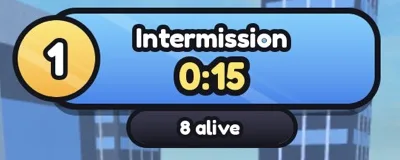
This server script runs the whole game: it clones a fresh map, moves players onto it, picks a disaster from the DISASTERS table, waits out the round, rewards survivors and resets. Each disaster is a function that receives the map and returns a cleanup function, so the round loop never needs to know how a flood or a meteor works.
ServerStorage
  Maps Folder
    Town Model
      MapSpawn Part
ServerScriptService
Disasters Script new-- Script in ServerScriptService named Disasters.
-- Round loop: fresh map, random disaster, survivors win, reset.
local Players = game:GetService("Players")
local ReplicatedStorage = game:GetService("ReplicatedStorage")
local ServerStorage = game:GetService("ServerStorage")
local TweenService = game:GetService("TweenService")
local Debris = game:GetService("Debris")
local INTERMISSION = 15
local ROUND_TIME = 60
local maps = ServerStorage:WaitForChild("Maps")
local function setStatus(text: string, timeLeft: number)
ReplicatedStorage:SetAttribute("Status", text)
ReplicatedStorage:SetAttribute("TimeLeft", timeLeft)
end
local function rootOf(player: Player): BasePart?
local character = player.Character
return if character then character:FindFirstChild("HumanoidRootPart") :: BasePart? else nil
end
type Disaster = { name: string, run: (map: Model) -> () -> () }
local DISASTERS: { Disaster } = {
{
name = "Flood",
run = function(map)
local pivot = map:GetPivot()
local water = Instance.new("Part")
water.Name = "Flood"
water.Anchored = true
water.CanCollide = false
water.Transparency = 0.4
water.Color = Color3.fromRGB(40, 110, 200)
water.Size = Vector3.new(400, 2, 400)
water.CFrame = pivot * CFrame.new(0, -1, 0)
water.Parent = map
-- the top rises from the ground to 60 studs over the round
local goal = { Size = Vector3.new(400, 62, 400), CFrame = pivot * CFrame.new(0, 30, 0) }
TweenService:Create(water, TweenInfo.new(ROUND_TIME, Enum.EasingStyle.Linear), goal):Play()
local running = true
task.spawn(function()
while running do
local surface = water.Position.Y + water.Size.Y / 2
for _, player in Players:GetPlayers() do
local root = rootOf(player)
local humanoid = player.Character and player.Character:FindFirstChildOfClass("Humanoid")
if root and humanoid and root.Position.Y < surface - 2 then
humanoid:TakeDamage(10) -- under water: 10 damage a second
end
end
task.wait(1)
end
end)
return function()
running = false
end
end,
},
{
name = "Meteor shower",
run = function(map)
local pivot = map:GetPivot()
local running = true
task.spawn(function()
while running do
local meteor = Instance.new("Part")
meteor.Shape = Enum.PartType.Ball
meteor.Size = Vector3.new(6, 6, 6)
meteor.Material = Enum.Material.Basalt
meteor.Position = (pivot * CFrame.new(math.random(-80, 80), 150, math.random(-80, 80))).Position
local hitHumanoids: { [Humanoid]: boolean } = {}
meteor.Touched:Connect(function(hit)
local model = hit:FindFirstAncestorWhichIsA("Model")
local humanoid = model and model:FindFirstChildOfClass("Humanoid")
if humanoid and not hitHumanoids[humanoid] then
hitHumanoids[humanoid] = true -- each meteor hurts a player once
humanoid:TakeDamage(40)
end
end)
meteor.Parent = map
Debris:AddItem(meteor, 8) -- clean up so parts do not pile up
task.wait(0.4)
end
end)
return function()
running = false
end
end,
},
}
local function freshMap(): Model
local templates = maps:GetChildren()
local template = templates[math.random(1, #templates)] :: Model
local map = template:Clone()
map.Name = "CurrentMap"
map.Parent = workspace
return map
end
while true do
for t = INTERMISSION, 1, -1 do
setStatus("Intermission", t)
task.wait(1)
end
local map = freshMap()
local spawnPart = map:WaitForChild("MapSpawn") :: BasePart
local alive: { [Player]: boolean } = {}
for _, player in Players:GetPlayers() do
local character = player.Character
local humanoid = character and character:FindFirstChildOfClass("Humanoid")
if character and humanoid and humanoid.Health > 0 then
character:PivotTo(spawnPart.CFrame + Vector3.new(math.random(-8, 8), 4, math.random(-8, 8)))
alive[player] = true
humanoid.Died:Once(function()
alive[player] = nil
end)
end
end
local disaster = DISASTERS[math.random(1, #DISASTERS)]
for t = 5, 1, -1 do
setStatus(`{disaster.name} is coming!`, t)
task.wait(1)
end
local stop = disaster.run(map)
for t = ROUND_TIME, 1, -1 do
setStatus(disaster.name, t)
task.wait(1)
end
stop()
for player in alive do
if player.Parent then -- still in the server
local wins = player:GetAttribute("Wins")
player:SetAttribute("Wins", (if typeof(wins) == "number" then wins else 0) + 1)
end
end
setStatus("Round over", 0)
task.wait(3)
map:Destroy()
for _, player in Players:GetPlayers() do
task.spawn(player.LoadCharacterAsync, player) -- everyone back to the lobby spawn
end
endWins are stored as a player attribute here; copy them into leaderstats and save them with a data store once the loop is fun. To add a disaster, add one more entry to DISASTERS: a name and a function that starts the hazard and returns how to stop it. Wind can push players with a VectorForce on their root part, an earthquake can unanchor parts of the map's buildings, a fire can spread by setting a Burning attribute on neighbouring parts.
The hard part: destruction without lag
The spectacle players come for, buildings falling apart, is the most expensive thing a Roblox server can do. Every unanchored part is simulated, and the engine also hands unanchored parts near a player to that player's computer to simulate, so a collapsing town is work for everyone. Keep it under control:
- Build to break. Make destructible buildings from a few large parts (whole wall panels, not single bricks). Ten falling panels look as dramatic as five hundred bricks and cost a fraction.
- Break a little at a time. Unanchor a few parts per second during an earthquake instead of the whole map at once.
- Clean up. Give spawned objects like meteors a lifetime with
Debris:AddItem, and destroy the whole map at the end of the round. Cloning a fresh map is cheaper and more reliable than repairing the old one. - Damage on the server. A flood that checks positions on the server works whoever simulates the water. Use
Touchedonly for hits that need contact, like meteors. - Test with a full server. A disaster that runs smoothly with one player can stutter with twenty. Studio's multi-client test and the Developer Console show it before players do.
Monetization that fits a disaster game
Survival games are judged on fairness: a bought item that makes you immune to every disaster empties the challenge. Sell help, not immunity:
| Roblox feature | Fits well | Turns into pay-to-win when |
|---|---|---|
| Game pass (bought once) | A balloon that slows falls, a radio, trails, a lobby pet, 2x wins | The item makes you survive every disaster |
| Developer product (bought again and again) | Pick the next disaster or map for the server | It revives you mid-round over and over |
| Private server (free or a monthly Robux fee) | Playing with friends, a server where you choose disasters | Rarely: it only changes who is in the server |
A developer product must be granted through MarketplaceService.ProcessReceipt so a purchase is never lost; the game pass guide covers pass checks and prompts. You cannot turn on private servers and paid access at the same time. Roblox also pays creators through Creator Rewards, which replaced engagement-based payouts on 24 July 2025. Rewarded video ads, where your game qualifies, must reward a developer product and cannot be random: "start next round with a balloon" fits.
What brings players back
- Wins and streaks. A survival streak that resets on death is a reason to play one more round.
- Rare disasters. One disaster with a small chance per round becomes the one everyone talks about.
- Map and disaster updates. Because disasters are entries in a table and maps are models in a folder, each update is small to make. Announce them.
- Badges. Survive each disaster once, survive ten rounds in a row, survive on one health.
- Daily rewards. A small daily bonus to the wins multiplier or a cosmetic (daily rewards).
Build a natural disaster game with RoCode
RoCode is an independent AI agent for Roblox Studio. You describe what you want in a web chat, and its free Studio plugin writes the Luau and creates the scripts, parts and UI in the place you have open. For a disaster game it works in rounds: first a map and the round loop, then disasters one at a time, then wins and a HUD.
Make the first playable version of a natural disaster survival game: a lobby, a small town map stored in ServerStorage and cloned fresh each round, a server round loop with a 15 second intermission and a 60 second round, two disasters (a rising flood that damages players under the water and a meteor shower), wins for survivors, and a HUD with the disaster name and the time left.
- Writes the round loop and disaster scripts on the server, and builds the lobby and a greybox map from parts
- Can add ready-made screens such as a round timer, a leaderboard, a shop and daily rewards
- Builds the game a working part at a time, so you can play each disaster before the next
- Takes screenshots in edit mode to check how the map looks
It cannot make custom meshes, sounds or animations, publish the game, or tell you whether a disaster is too hard: you still play the rounds yourself. Free credits every day, no card needed. How RoCode builds a game.
Questions
How do I make a flood in Roblox Studio?
Use an anchored, see-through water part and grow it upwards with TweenService, changing its Size and CFrame together. On the server, check every second whether each player's root part is below the water surface and damage them if it is.
How do I reset the map after each round?
Keep the original map in ServerStorage. At the start of each round clone it into the Workspace, and at the end destroy the clone. The original is never touched, so every round starts clean.
How do I make buildings fall apart?
Build them from a few large anchored parts held together, then unanchor them a few at a time during the disaster, or break the welds between them. Fewer, bigger pieces keep the server smooth.
How many disasters should my game have?
Four or five for a first test, six to ten for launch. More matters less than variety: each disaster should need a different idea to survive.
Can I make a game like Natural Disaster Survival?
You can make a game in the same genre with the same kind of round loop. Use your own name, maps, art and disasters, and do not copy another game's assets or code.
Sources and further reading
- Roblox Creator Docs: TweenService
- Roblox Creator Docs: Instance:Clone
- Roblox Creator Docs: Debris
- Roblox Creator Docs: Network ownership
- Roblox Creator Docs: Developer products
- Roblox Creator Docs: Private servers
- Roblox Creator Docs: Creator Rewards
- RoCode guide: Round system
How the code was checked: every script on this page passes Luau's strict type checker against Roblox's API definitions (luau-lsp, 4 November 2026). A type check catches misspelt APIs and wrong types, not game logic, so playtest in Studio before you publish.