In short
To make a racing game in Roblox Studio, build one drivable car (a VehicleSeat and constraints), a greybox loop track, numbered checkpoint parts that the server counts in order, a race flow with a countdown and results, and saved best times. Then add more tracks, car classes and a garage. Cars are physics owned by the driver's client, so the server must sanity check every lap.
- Handling matters more than top speed: tune the car until corners are fun before you build a second track.
- Count checkpoints on the server, in order, and ignore splits that are faster than any real car could drive.
- Sell looks, garage slots and cars in their own class, so a paid car never decides who wins an open race.
On this page
What makes a racing game work
The core loop in one line: pick a car, race a few laps, get a place and a time, spend what you earned on a better car or a new look, race again. Everything else in the game exists to make one of those steps better.
| How often | What happens | What it needs from you |
|---|---|---|
| Every few seconds | A corner, a jump, an overtake | A car that brakes, turns and recovers the same way every time |
| Every race (a few minutes) | A countdown, laps, a finishing place | Clear lap and place on screen, and a result nobody can argue with |
| Every session | A new car, a new paint job, a beaten personal best | Cash per race, a garage, and saved times |
| Every week or update | A new track or a new car class | A track pipeline you can repeat without rewriting scripts |
Five pillars separate racing games people come back to from the ones that empty out:
- Handling first. If a car rolls over on a curb or spins on a bump, nothing else matters. Players forgive simple art; they do not forgive a car that fights them.
- Fair results. Checkpoints in order, a visible lap counter and a place that updates live. A player who loses should know why.
- No empty waits. A race that needs a full server to start loses solo players. A time trial against the clock, or a race that starts with whoever is ready, keeps quiet servers playable.
- Classes, not one ladder. If the fastest car always wins, new players lose every race. Group cars into classes of similar speed and race each class on its own.
- Tracks that teach. Wide roads, walls on the outside of fast corners and a respawn button for when it still goes wrong.
If you want the movement without the cars, a parkour or speedrun game uses the same checkpoint and timer ideas on foot.
The systems you need
| System | What it does | Roblox pieces | Guide |
|---|---|---|---|
| Drivable car | Reads throttle and steering, drives on physics | VehicleSeat, HingeConstraint motors and servos, network ownership | Car script |
| Car spawner and garage | Puts the chosen car on the grid | ProximityPrompt or a GUI, ServerStorage, Model:PivotTo | Car script, Inventory |
| Checkpoints and laps | Counts progress in order, records the finish | Anchored parts with CanCollide off, Touched, attributes | This page |
| Race flow | Lobby, countdown, race, results, back to lobby | A server state loop, Teams optional | Round system |
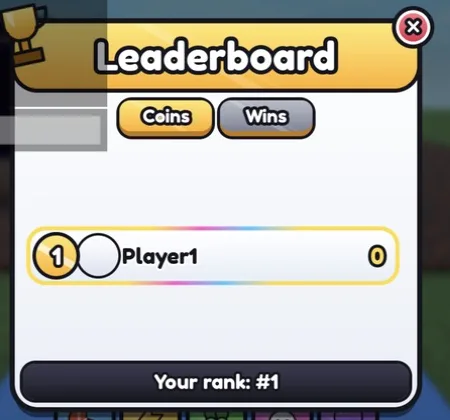
| Place and lap HUD | Lap 2 of 3, 4th place, the race clock | ScreenGui, player attributes read by a LocalScript | Leaderboard |
| Reset car | Puts a flipped car upright at the last checkpoint | Model:PivotTo, a key or button | This page |
| Best times | Personal best and a global top list | DataStoreService, OrderedDataStore | Data stores, Leaderboard |
| Cash and car shop | Pays per race, sells cars and paint | leaderstats, a shop GUI, RemoteEvent | Shop GUI |
| Boost pads | Short bursts of speed on the track | Touched parts, a velocity push on the car | Speed pads |
The car guide builds a working car from a VehicleSeat, motor hinges on the wheels and servo steering, and hands the driver network ownership. Start from that car instead of writing your own; this page picks up where it stops.
Build plan: from a baseplate to launch
First playable (greybox)
- Draw the track with plain parts. A closed loop with two long straights and four or five corners of different tightness. Make the road wider than feels necessary: three or four cars side by side, so overtakes are possible. Put walls on the outside of every fast corner.
- Drop in one car from the car script guide and drive it for ten minutes. Tune
MaxSpeed, torque and steering until you can take every corner without stopping. Change the track, not the car, if a corner is impossible. - Add checkpoints. Invisible parts across the road named
1,2,3and so on, in driving order, inside a folder namedCheckpoints. Checkpoint1is the start and finish line. Put one before and after every place where a shortcut is tempting. - Add the lap tracker below and print laps in the Output window. Drive a lap backwards: nothing should count.
- Add a countdown and a grid. Spawn one car per player on grid slots behind the line, keep them anchored or the seat disabled until the countdown ends, then release them together. The round system guide has the lobby, timer and teleport loop.
- Show lap, place and time on a HUD, and add a reset key that puts the car upright at the last checkpoint passed.
First public test
One track, one car, three laps, a results screen. Test with at least two players in Studio's multi-client simulation first, so you see network ownership the way real players will. In the public test, watch three things: where cars leave the road, how often people press reset, and whether anyone misses a checkpoint without understanding why. Those three tell you what to fix before adding content.
What to add for launch
- Two or three more tracks, each with one idea of its own (a jump, a tight hairpin section, a long banked curve).
- Five to eight cars in two or three classes, sold for cash earned by racing.
- A time trial mode, so a player alone in a server still has a goal.
- Saved personal bests per track and a global top list.
- A garage screen with paint colours, and driving checks on touch and controller (a
VehicleSeatforwards the player's movement inputs, so test every device). - The Maturity and Compliance Questionnaire in the Creator Dashboard: Roblox restricts who can play a game that has no content maturity information.
The defining mechanic: laps the server counts
Every racing game needs the same thing at its centre: a lap only counts when the car passed every checkpoint in order. This server script does that. A checkpoint touch counts only if it is the next one the racer needs, and only if enough time has passed since the last one. Crossing checkpoint 1 starts lap 1; crossing it again after the last checkpoint starts the next lap, and after the final lap it records the finish time.
Workspace
  Checkpoints Folder
    1 Part      start and finish line
    2 Part
    3 Part      ... one across the road after each corner
ServerScriptService
RaceTracker Script new-- Script in ServerScriptService named RaceTracker.
-- Counts checkpoints and laps on the server, in order, and records each finish time.
local Players = game:GetService("Players")
local LAPS = 3
local MIN_SPLIT = 1.5 -- seconds: a faster split between two checkpoints is ignored
local folder = workspace:WaitForChild("Checkpoints") :: Folder
local checkpoints: { BasePart } = {} -- parts named 1, 2, 3 ...; 1 is the start and finish line
for _, child in folder:GetChildren() do
local index = tonumber(child.Name)
if index and child:IsA("BasePart") then
checkpoints[index] = child
end
end
type Racer = { nextIndex: number, lap: number, lastTouch: number, finishedAt: number? }
local racers: { [Player]: Racer } = {}
local raceStart = os.clock()
-- A touch from the driver's character or from any part of the car they are driving
local function playerFromHit(hit: BasePart): Player?
local model = hit:FindFirstAncestorWhichIsA("Model")
if not model then
return nil
end
local seat = model:FindFirstChildWhichIsA("VehicleSeat", true)
local character = if seat and seat.Occupant then seat.Occupant.Parent else model
return if character and character:IsA("Model") then Players:GetPlayerFromCharacter(character) else nil
end
local function onCheckpoint(index: number, hit: BasePart)
local player = playerFromHit(hit)
local racer = player and racers[player]
if not player or not racer or racer.finishedAt or index ~= racer.nextIndex then
return -- wrong checkpoint, or already finished
end
local now = os.clock()
if now - racer.lastTouch < MIN_SPLIT then
return -- too fast to be a real drive
end
racer.lastTouch = now
if index == 1 then
racer.lap += 1
if racer.lap > LAPS then
racer.finishedAt = now - raceStart
player:SetAttribute("FinishTime", racer.finishedAt)
return
end
end
racer.nextIndex = index % #checkpoints + 1
player:SetAttribute("Lap", racer.lap)
end
for index, part in checkpoints do
part.Touched:Connect(function(hit)
onCheckpoint(index, hit)
end)
end
-- Call this when the countdown ends: everyone starts behind checkpoint 1 on lap 0
local function startRace()
raceStart = os.clock()
table.clear(racers)
for _, player in Players:GetPlayers() do
racers[player] = { nextIndex = 1, lap = 0, lastTouch = 0 }
end
end
startRace()
Players.PlayerRemoving:Connect(function(player)
racers[player] = nil
end)Set each checkpoint to Anchored, CanCollide off and Transparency 1, and make it tall and wide enough that a car cannot jump over or around it. The script accepts a touch from the driver's own character or from any part of the car whose VehicleSeat they sit in, so it works for racing on foot too.
The script writes Lap and FinishTime as player attributes, which a HUD LocalScript can read and show. For the place, sort racers by finished first, then by lap, then by the next checkpoint index, and break ties by the distance from the car to that next checkpoint. Run the sort a few times a second on the server and write each racer's place as another attribute.
The hard part: physics cars online
Roblox splits physics between the server and the clients. By default the server owns every part, but the engine hands unanchored parts near a player's character to that player's client, and a server script can set the owner with BasePart:SetNetworkOwner(). Roblox's own network ownership page uses a car as its example: give the driver ownership of the car when they sit in the VehicleSeat, or a passenger may end up simulating it and the driver feels lag.
That makes driving smooth, and it creates the problem every racing game has to live with. The same page says Roblox cannot verify physics calculations when a client owns a part, and that Touched events follow ownership. A cheater who owns their car can move it anywhere, and can make it touch a checkpoint it never reached. You cannot take ownership back to the server without making every car feel delayed, so the server checks the results instead:
- Order. A checkpoint out of order is ignored, so teleporting to the finish line does nothing.
- Minimum split.
MIN_SPLITin the script ignores a split faster than any car could drive. Set it per track: drive the shortest gap between two checkpoints in your fastest car and use a little less than that time. - Speed sampling. Every second, compare each car's position with where it was a second ago. A jump much bigger than the car's top speed allows is a teleport: return the car to its last checkpoint.
- Records. Before a time goes on the global list, check it against the track's known fastest legal lap. Anything far below it is not saved.
For handling, most of the fixes are physical: a heavy, low chassis rolls over less than a tall light one, wider spacing between the wheels makes the car more stable in corners, and limiting steering at high speed stops cars spinning on straights. Studio can show who owns each part while you test: in the viewport's visualization options, turn on Network owners.
Monetization that fits a racing game
Racing is competitive, so the line between a fair purchase and a pay-to-win one is sharp. A paid car that is simply faster than every free car ends the race before it starts, and the players who lose to it leave. These options fit the genre:
| Roblox feature | Fits well | Turns into pay-to-win when |
|---|---|---|
| Game pass (bought once) | Paint and wheel packs, underglow, trails, a horn, an extra garage slot, a car in its own class | The car is faster than everything in the open class |
| Developer product (bought again and again) | A cash pack to buy cars sooner, a one-off paint unlock | It sells a boost used during a race against other players |
| Private server (free or a monthly Robux fee) | Racing with friends, practice, league nights | Rarely: it only changes who is in the server |
| Subscription (monthly) | A daily cash bonus, a monthly exclusive paint | The monthly perk is a speed advantage |
A developer product must be granted through MarketplaceService.ProcessReceipt so a purchase is never lost; the game pass guide covers pass checks and prompts. Two rules worth knowing before you set prices: you cannot turn on private servers and paid access at the same time, and changing the private server price cancels every active private server subscription. A subscription must keep its benefits for the full term once it is live.
Roblox also pays creators through Creator Rewards, which replaced engagement-based payouts on 24 July 2025. If your game qualifies for rewarded video ads, the reward has to be a developer product and cannot be random: "double cash for your next race" fits. Use the Robux tax calculator to see what a sale earns after Roblox's cut.
What brings racers back
- Personal bests. Show the player's best lap on the HUD during every lap. Beating yourself is the cheapest content in the genre.
- A car collection. A garage with empty slots for cars not yet owned gives every session a target.
- A track of the day. Pick one track per day from the date and pay a bonus for racing it. It spreads players over all your tracks.
- Daily rewards and codes. A streak that pays cash or a paint (daily rewards, codes).
- Racing with friends. Party up in the lobby so friends land in the same race, and offer private servers for groups.
- Updates you can repeat. Because the lap tracker only needs numbered parts, a new track is a building job, not a scripting job. Ship one, announce it, and reset a weekly top list for it.
Build a racing game with RoCode
RoCode is an independent AI agent for Roblox Studio. You describe what you want in a web chat, and its free Studio plugin writes the Luau and creates the scripts, parts and UI in the place you have open. For a racing game it works in rounds: first a car and a track, then laps, then the race flow, then the garage.
Make the first playable version of a racing game: a greybox loop track with walls on fast corners, a drivable car from a VehicleSeat with the driver given network ownership, numbered checkpoints counted in order on the server, 3 laps with a finish time, a countdown before the start, and a HUD showing lap, place and race time.
- Writes the server scripts for the car, checkpoints and laps, and builds a greybox track from parts
- Can add ready-made screens such as a leaderboard, a round timer, a shop and daily rewards
- Builds the game a working part at a time, so you can drive each part before the next
- Takes screenshots in edit mode to check how the track looks
It cannot make car meshes or sculpted terrain, publish the game, or tell you whether the handling is fun: you still drive the laps yourself. Free credits every day, no card needed. How RoCode builds a game.
Questions
Can I make a racing game in Roblox without scripting?
You can build the track without scripting, and a VehicleSeat drives a simple car on its own. Laps, a countdown, places and saved times all need scripts. You can paste the ones linked here, or describe them to an AI tool like RoCode and test what it builds.
Why does my Roblox car flip over in corners?
Usually the chassis is too light or too tall for the speed. Lower the body, make the chassis heavier, spread the wheels wider apart and reduce steering at high speed. Also check that the driver owns the car, or it may stutter and bounce.
How do I stop players cutting corners?
Put a checkpoint before and after every tempting shortcut and count them in order on the server, as the lap tracker above does. A lap with a missing checkpoint never completes.
How many players should a race have?
Enough to overtake, few enough that the grid fits your track. Let the race start with whoever is ready after a short countdown rather than waiting for a full server, and offer a time trial for players alone.
Do I need custom car models?
Not for the first test. A block body on the car guide's chassis is enough to tune handling. Add your own models once the driving feels right, keeping the same seat and wheel setup.
Sources and further reading
- Roblox Creator Docs: Network ownership. the driver ownership example, and why client-owned physics cannot be verified
- Roblox Creator Docs: VehicleSeat. MaxSpeed, Torque, ThrottleFloat, SteerFloat and Occupant
- Roblox Creator Docs: OrderedDataStore. integer values and GetSortedAsync
- Roblox Creator Docs: Private servers
- Roblox Creator Docs: Developer products
- Roblox Creator Docs: Subscriptions
- Roblox Creator Docs: Rewarded video ads
- Roblox Creator Docs: Creator Rewards
- RoCode guide: Roblox car script
- RoCode guide: Round system
How the code was checked: every script on this page passes Luau's strict type checker against Roblox's API definitions (luau-lsp, 26 October 2026). A type check catches misspelt APIs and wrong types, not game logic, so playtest in Studio before you publish.